
Describing Transformations: Translation, Rotation, and Reflection
Loading the math board and drawing, please wait…
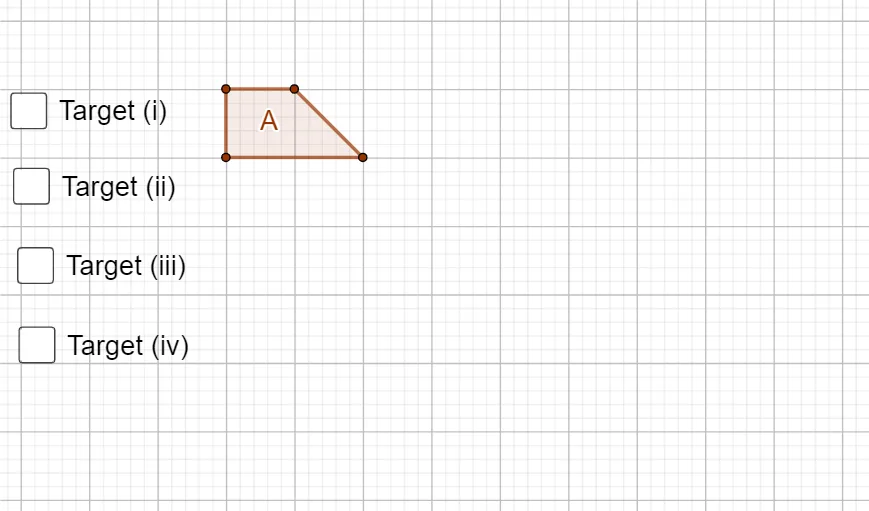
This GeoGebra example demonstrates geometric transformations on polygons, focusing on translation, rotation, and reflection. It shows how a shape moves, turns, or flips while preserving its size and shape, and highlights relationships between corresponding points, sides, and angles before and after transformation. The construction uses the Polygon command to create the original polygon, with multiple points (A1, B, C, D, A) and segments (a, b, c, d) defining the figure. Additional objects like B1, B2, B3 and auxiliary lines (e, f, g, h) represent transformed copies or guide lines, likely controlled by sliders for dynamic exploration. The example also touches on statistical characteristics and cylinders, but the core is planar transformations. It is suitable for middle school to college geometry classes, helping students visualize and understand the properties of rigid motions and their compositions.
GeoGebra Commands & Parameters
Polygon(A_{1}, B, C, D) → A, a, b, c, dPolygon(E, F, G, H) → B1, e, f, g, hPolygon(I, J, K, L) → B2, i_1, j, k, lPolygon(M, N, O, C) → B3, m_1, n, o, c_1Polygon(P, Q, R, C) → B4, p_1, q, r, c_2
AI Drawing Prompt Reference
Draw a polygon and show its translation, rotation, and reflection transformations. Start by creating an original polygon, then generate its translated, rotated, and reflected copies at different positions and angles using sliders. Each copy should maintain the original shape and size. Connect corresponding points with guide lines and label the transformation relationships to observe changes in corresponding sides and angles before and after the transformation.
The prompt above was compiled from the original drawing commands and is for reference only.