
Exploring Quadrilateral Properties: From General to Special
Loading the math board and drawing, please wait…
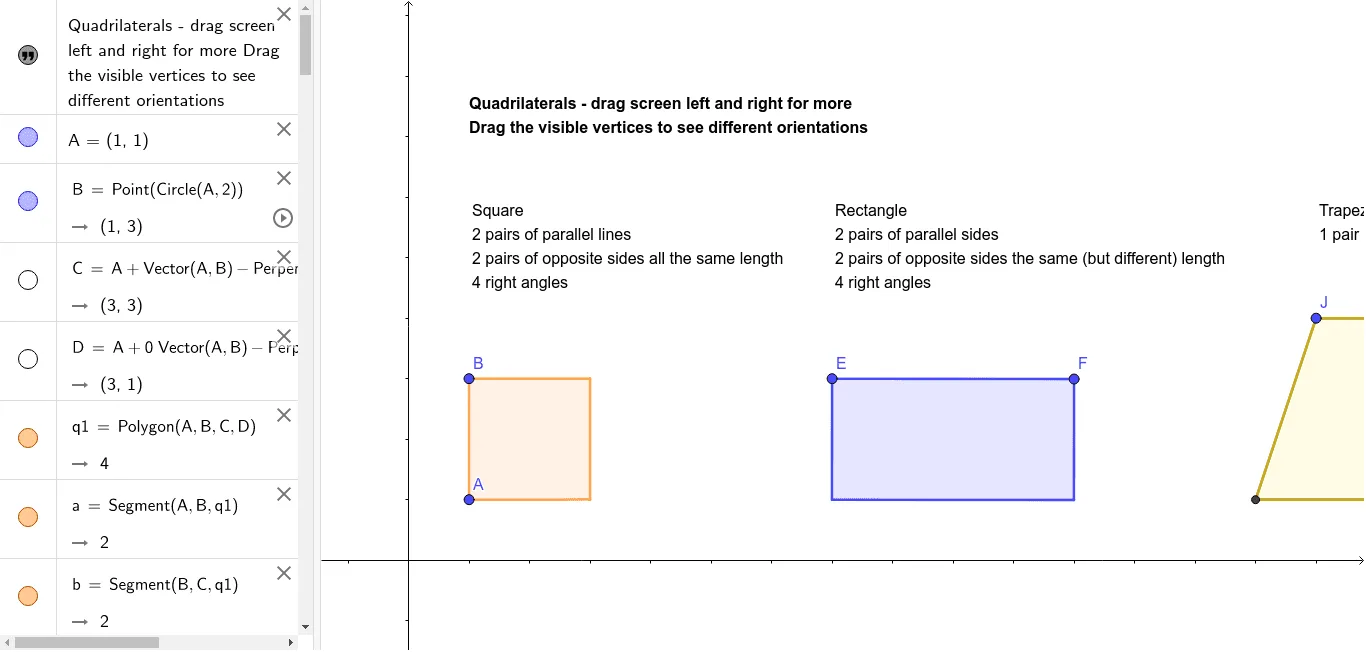
This interactive GeoGebra example demonstrates the properties of quadrilaterals and their special forms including parallelograms, rectangles, rhombi, squares, trapezoids, and kites. Core mathematical concepts covered include parallel and equal opposite sides, equal opposite angles, bisecting diagonals, and symmetry properties. The construction uses GeoGebra commands such as Point, Polygon, Segment, Line, Intersect, LineBisector, and Circle to build the quadrilateral, its diagonals, midpoints, and perpendicular bisectors. Users can drag the vertices to dynamically observe how properties change, with text objects (text1, text2, text3) labeling key features. This resource is ideal for middle and high school geometry classes, supporting inquiry-based learning and teacher demonstrations of quadrilateral classification and properties.
GeoGebra Commands & Parameters
Point(Circle[A, 2]) → BPolygon(A, B, C, D) → q1, a, b, c, dPoint(Circle[E, 4]) → FPolygon(E, F, G, H) → q2, e, f, g, hSegment(I, J) → iSegment(I, K) → jLine(J, j) → kPoint(k) → LSegment(L, K) → lSegment(J, L) → mIntersect(i, j) → MPolygon(M, J, L, K) → q3, m_1, j_1, l_1, k_1Segment(N, P) → nSegment(N, O) → pLine(O, n) → qLine(P, p) → rIntersect(q, r) → QSegment(O, Q) → sSegment(Q, P) → tPolygon(N, O, Q, P) → q4, n_1, o, q_1, p_1LineBisector(S, R) → f_1Point(f_1) → TPoint(f_1) → UPolygon(T, S, U, R) → q5, t_1, s_1, u, r_1Circle(V, W) → c_1Segment(V, W) → g_1Point(c_1) → ZSegment(V, Z) → h_1Line(Z, g_1) → i_1Line(W, h_1) → a_1Intersect(i_1, a_1) → A_1Segment(Z, A_1) → b_1Segment(A_1, W) → d_1Polygon(Z, A_1, W, V) → q6, z_1, e_1, w, v
AI Drawing Prompt Reference
Draw a hexagon with six vertices A, B, C, D, E, and F. First, draw quadrilateral ABCD, then draw quadrilateral EFGH. Next, draw quadrilateral MJLK, quadrilateral NOPQ, quadrilateral STUR, and quadrilateral ZWVU. Finally, draw hexagon ZAWVFE, making sure each quadrilateral's sides and vertices are correctly connected.
The prompt above was compiled from the original drawing commands and is for reference only.