
Derivative Practice Corner
Loading the math board and drawing, please wait…
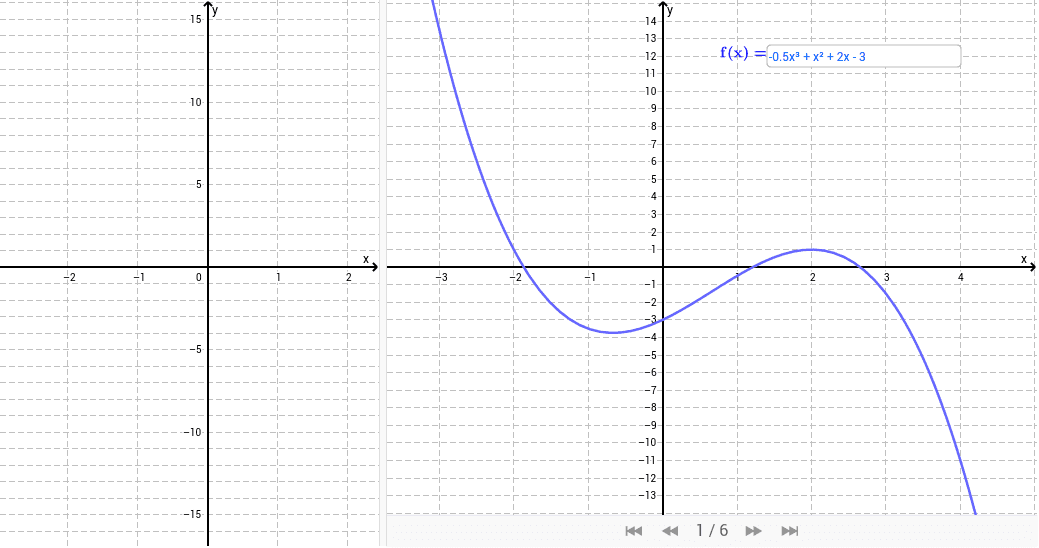
This applet provides a graphical interpretation of the concept of derivatives. Students can practice by visualizing the derivative of any function. The core math concepts involved are derivatives. It uses GeoGebra commands such as Textfield, Point, Tangent, Slope, Derivative. Suitable for high school math education and learning.
GeoGebra Commands & Parameters
Textfield(f) → inputBox1Point(f) → ATangent(A, f) → bSlope(b) → mDerivative(f) → f'Textfield(g) → inputBox2
AI Drawing Prompt Reference
Draw a function and its derivative. Mark a point on the function, draw a tangent line from the point, and display the slope of the tangent. Also, input another function and draw its derivative. Compare the slope of the tangent with the value of the derivative at the corresponding point to visualize the concept of derivatives.
The prompt above was compiled from the original drawing commands and is for reference only.