
Demonstration of Addition with Positive and Negative Numbers
Loading the math board and drawing, please wait…
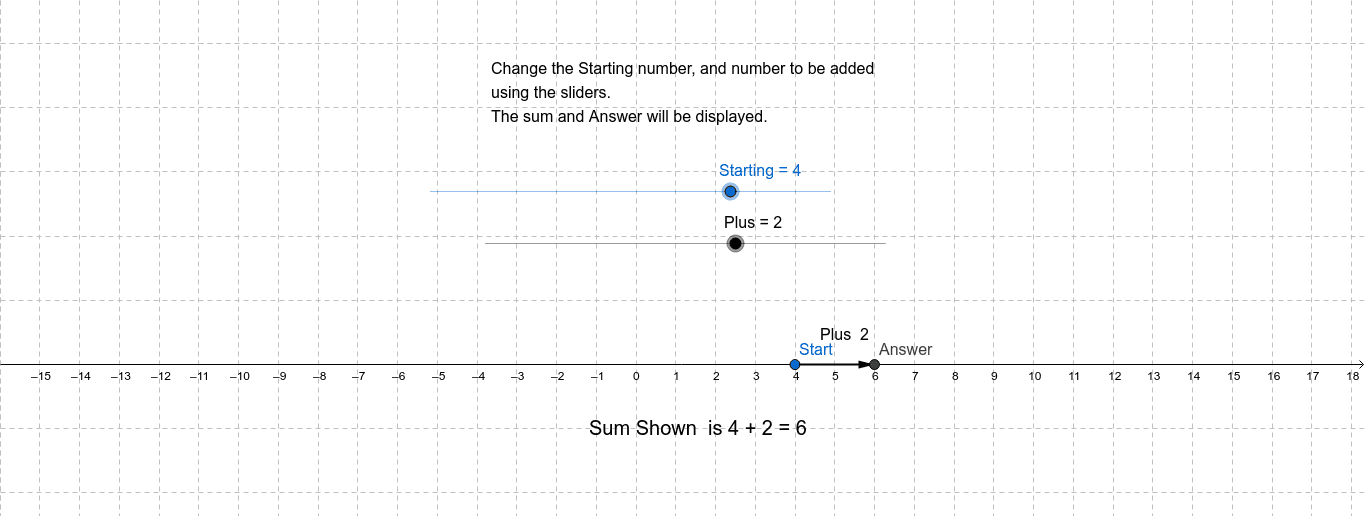
This example dynamically illustrates how addition works with positive and negative numbers on a number line. It covers core math concepts such as number line, absolute value, and rules for adding rational numbers. The construction leverages GeoGebra commands like Vector and Distance to create objects like Starting point, Plus point, Answer point, vector u, distanceAB, and text elements, enabling visual movement and calculation on the number line. It is suitable for middle school mathematics education to help students intuitively grasp the rules of positive and negative number operations and enhance their ability to combine numbers and shapes.
GeoGebra Commands & Parameters
Vector(Start, Answer) → uDistance(Start, Answer) → distanceAB
AI Drawing Prompt Reference
Illustrate addition of positive and negative numbers on a number line with dynamic elements including a starting point, an addition point, an answer point, and a vector showing the movement from the start to the answer point, along with the distance between these points to visually demonstrate the rules of addition and absolute value.
The prompt above was compiled from the original drawing commands and is for reference only.