
Demonstrating the Parabola
Loading the math board and drawing, please wait…
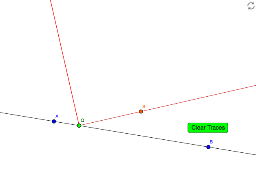
This example demonstrates the geometric properties and transformations of a parabola. It involves core mathematical concepts such as function graphs, coordinate geometry, geometric transformations, isosceles triangles, and integral concepts (upper and lower sums/Riemann sums). The construction uses commands like Line, Point, Ray, Rotate, OrthogonalLine, and Intersect in GeoGebra. It is suitable for high school mathematics education to understand parabolic properties and calculation methods.
GeoGebra Commands & Parameters
Line(A, B) → aPoint(a) → QRay(Q, S) → bRotate(Q, 90°, Q) → D'Line(S, a) → cOrthogonalLine(Q, b) → dIntersect(c, d) → ERay(Q, E) → e
AI Drawing Prompt Reference
Draw a straight line and take a point on it. From this point, draw a ray. Rotate the point 90 degrees to get another point, and connect the original ray's starting point to this new point. Draw a line perpendicular to the ray from the rotated point. Let this line intersect the line formed by connecting the original point and the new point. Finally, draw a ray from the rotated point to the intersection point.
The prompt above was compiled from the original drawing commands and is for reference only.