
Defining Trig Ratios: Dynamic Right Triangle Exploration
Loading the math board and drawing, please wait…
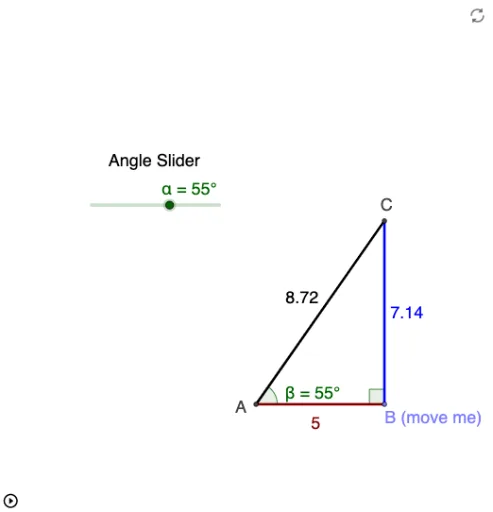
This GeoGebra example dynamically illustrates the definition of trigonometric ratios (sine, cosine, tangent) in a right triangle. By rotating a ray and constructing a perpendicular, it shows how the ratios of opposite, adjacent, and hypotenuse sides remain constant for a given angle, regardless of triangle size, emphasizing that trig ratios depend only on the angle. Core concepts include right triangles, similar triangles, proportionality, angles, and the foundational definitions of trigonometric functions. The construction uses commands such as Intersect, Point, Rotate, Angle, Line, OrthogonalLine, and Segment to build the triangle and its auxiliary lines, with a slider or draggable point to vary angle α and live text objects displaying side lengths and ratios. Suitable for middle school advanced students or high school beginners learning trigonometry, and for teachers demonstrating the geometric origin of sine, cosine, and tangent.
GeoGebra Commands & Parameters
Intersect(xAxis, yAxis) → APoint(xAxis) → BRotate(B, α, A) → B'Angle(B, A, B') → βLine(B', A) → aOrthogonalLine(B, xAxis) → bIntersect(a, b) → CSegment(A, B) → cSegment(B, C) → dSegment(C, A) → eAngle(C, B, A) → γ