
Dalí Style Giant Semitaza
Loading the math board and drawing, please wait…
In collections
geometriadinamica.es
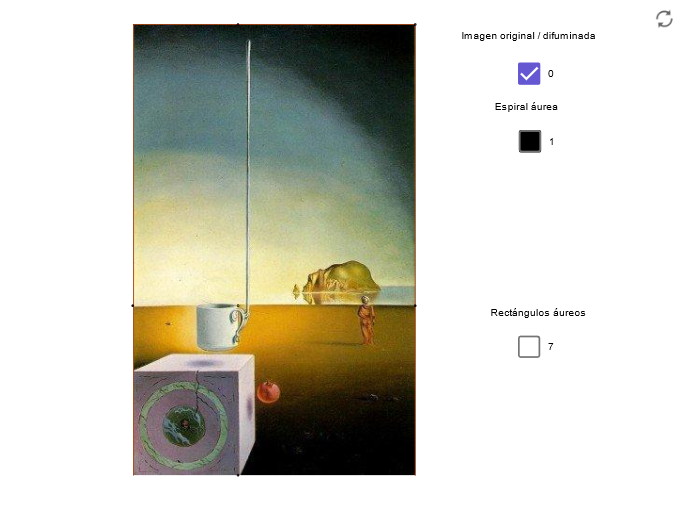
This example demonstrates geometric constructions inspired by Dalí's art, showcasing solid geometry and transformations through semitopes. Key math concepts include vectors, prisms, homothety, surfaces, sequences, and series. GeoGebra commands and objects used are Line, OrthogonalLine, Point, Dilate, Circle, Intersect, Polygon, Segment, CircumcircleArc. Suitable for high school students and math enthusiasts studying solid geometry, transformations, and parametric equations.
GeoGebra Commands & Parameters
Line(H1, H2) → aLine(A, a) → bOrthogonalLine(A, a) → cPoint(b) → BDilate(B, pr, A) → DilCircle(A, Dil) → dIntersect(d, c) → D5, COrthogonalLine(C, c) → eOrthogonalLine(B, b) → fIntersect(f, e) → DPolygon(A, B, D, C) → P, a_1, b_1, d_1, c_1Circle(C, D) → pOrthogonalLine(A_1, c_1) → nIntersect(b_1, n) → ESegment(A_1, E) → qCircle(A_1, E) → rPoint(r) → FCircumcircleArc(C, F, E) → sPolygon(A_1, E, D, C) → poly1, a_2, e_1, d_2, c_2Circle(E, B) → tOrthogonalLine(A_2, a_1) → a1Intersect(a1, a_1) → GCircle(A_2, E) → c1Point(c1) → HCircumcircleArc(E, H, G) → d1Polygon(G, B, E, A_2) → poly2, g_1, b_2, e_2, a_3Circle(G, A) → e1OrthogonalLine(A_3, c_1) → b1Intersect(c_1, b1) → ICircle(A_3, G) → f1Point(f1) → JCircumcircleArc(G, J, I) → g1Polygon(A_3, G, A, I) → poly3, a_4, g_2, a_5, i_1Circle(I, A_1) → h1Circle(A_4, I) → k1Point(k1) → MOrthogonalLine(A_4, g_2) → i1Circle(A_4, I) → p1Intersect(p1, i1) → K, LPoint(p1) → NCircumcircleArc(I, N, K) → q1Polygon(I, A_1, K, A_4) → poly4, i_2, a_6, k_1, a_7Circle(K, A_2) → r1OrthogonalLine(A_5, a_5) → j1Intersect(a_3, j1) → OPoint(P) → RCircle(A_5, K) → s1Point(s1) → QCircumcircleArc(K, Q, O) → t1Polygon(A_5, K, A_2, O) → poly5, a_8, k_2, a_9, oCircle(A_3, O) → c2OrthogonalLine(A_6, e_2) → l1Intersect(o, l1) → SCircle(S, O) → d2Point(d2) → TCircumcircleArc(O, T, A_6) → e2Polygon(A_6, S, O, A_3) → poly6, a_{10}, s_1, o_1, a_{11}Intersect(d_1, a1) → UPolygon(A, A_1, A_2, G) → poly7, a_{12}, a_{13}, a_{14}, g_3Polygon(A_2, U, D, E) → poly8, a_{15}, u_1, d_3, e_3Segment(A, D) → m1
AI Drawing Prompt Reference
Create a surreal Dalí-inspired solid-geometry composition. Start from two reference lines and define their intersection points; through orthogonal lines construct additional key points. Apply a dilation from one point to obtain a new point, then draw a circle centered at the original vertex with a radius linked to that dilated point. Intersect this circle with the orthogonal lines to get several vertices, and use them to form polygonal faces. From selected pairs of points, construct more circles and use them to generate circular arcs whose endpoints are the intersection-constructed points. Continue by erecting additional perpendicular lines at other constructed vertices, finding their intersections, and then adding further polygons and arcs so the final figure looks like a coordinated set of intersecting circles, perpendicular constraints, and polygonal panels with a strong geometric, transformation-driven feel.
The prompt above was compiled from the original drawing commands and is for reference only.