
Cylinder Volume Calculation and Geometric Construction
Loading the math board and drawing, please wait…
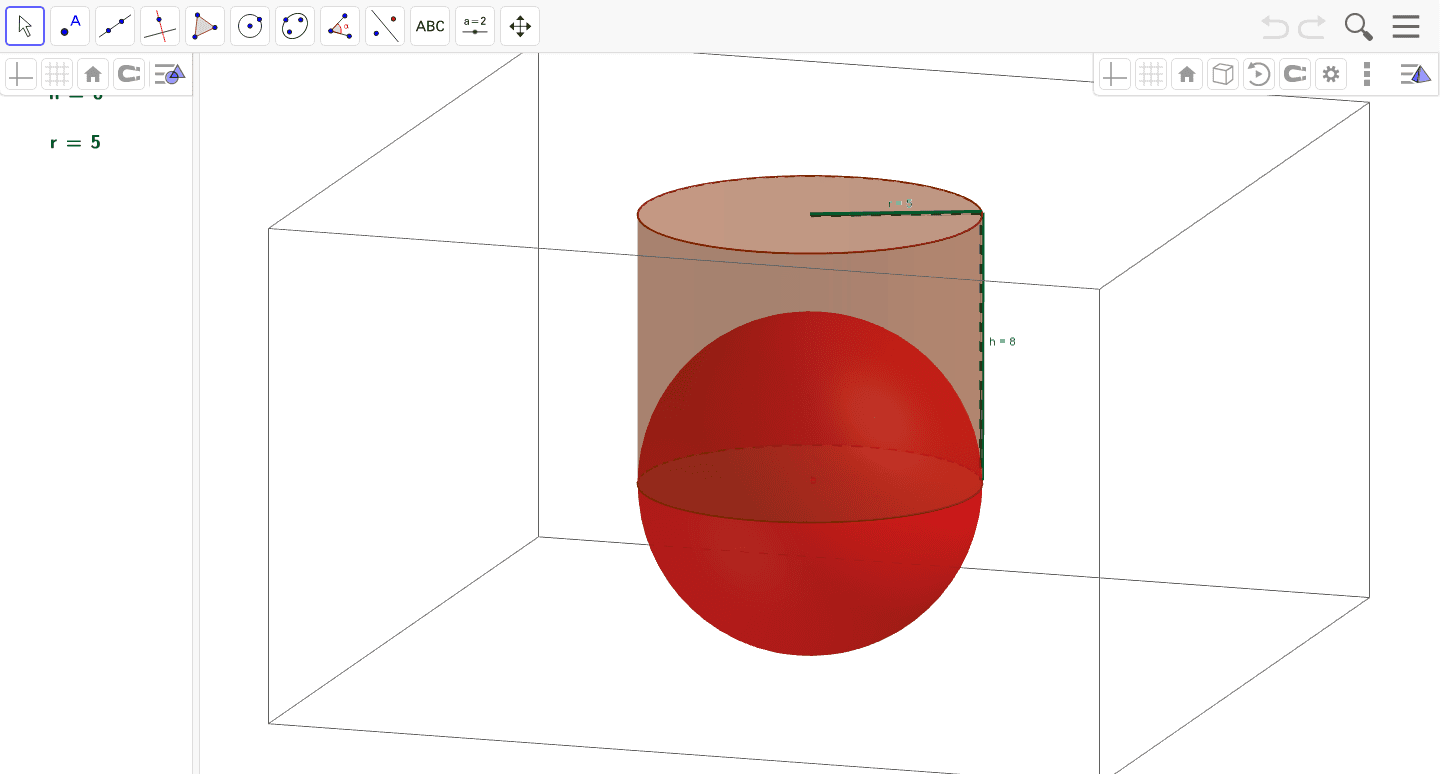
This example demonstrates the calculation of cylinder volume, involving formulas for surface area and volume. Key mathematical concepts include volume formulas, geometric properties of cylinders, and construction steps. Construction involves using cylinder, point, segment, sphere commands and objects, with parameter control for dimensions. Suitable for middle school students learning geometric volume calculations or for math teaching demonstrations.
GeoGebra Commands & Parameters
Cylinder(A, B, 5) → a, c, d, bPoint(c) → DPoint(d) → CSegment(C, D) → hSphere(A, 5) → eLaTeX(h, true, true) → text1Segment(B, C) → rLaTeX(h, true, true) → text2LaTeX(r, true, true) → text3
AI Drawing Prompt Reference
Draw a cylinder with a base center at one point and top center at another point, with a base radius of 5. Pick a point on the top circle and a point on the bottom circle, then connect these two points with a segment to represent the height of the cylinder. Also connect the base center to the point on the bottom circle to show the radius. Add a sphere centered at the base center with radius 5, intersecting or enclosing part of the cylinder. Finally, display text labels for the height and radius values, and include the relevant volume formula. The overall view should clearly show the cylinder's 3D structure, its height, radius, and the sphere's position.
The prompt above was compiled from the original drawing commands and is for reference only.