
Cylinder Volume by mathspace
Loading the math board and drawing, please wait…
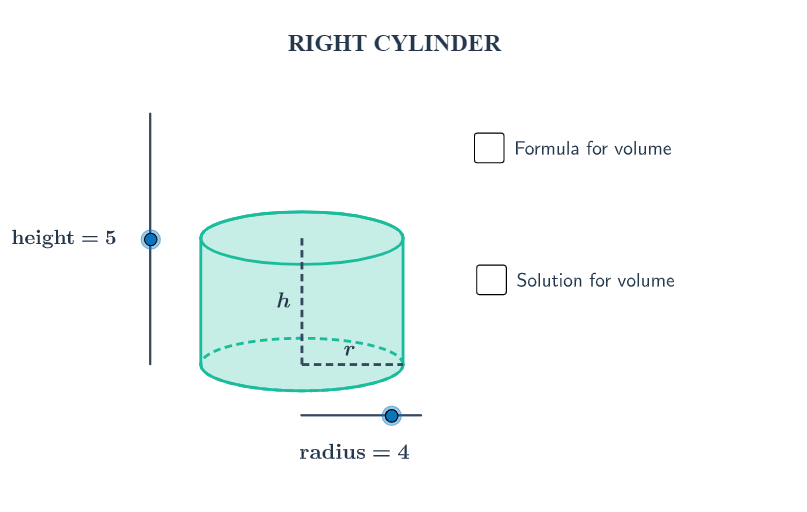
This example demonstrates the calculation of a cylinder's volume. Key mathematical concepts include the volume formula for a cylinder. Using GeoGebra commands like Dilate, Vector, and Translate, the construction process of the cylinder is dynamically shown. Suitable for middle school and above students learning solid geometry.
GeoGebra Commands & Parameters
Dilate(B, height, A) → CVector(A, C) → uTranslate(c, u) → dTranslate(R, u) → DTranslate(P, u) → ETranslate(L, u) → FArc(d, 0, 3.141592653589793) → eArc(c, 3.141592653589793, 0) → fPolygon(F, D, R, L) → Q, f_1, d_1, r_1, lSegment(E, P) → aSegment(P, R) → bMidpoint(E, P) → GMidpoint(P, R) → H
AI Drawing Prompt Reference
Draw a cylinder by first creating a center point A for the base circle and a point B for the top circle, then dilate point B along the height to get point C, create vector u from A to C, and translate points A, C, and B along vector u to get points D, E, and F respectively. Use D, E, F, and B to draw a quadrilateral as the base, draw an arc from C as the top, and use E, P, P, and R to draw two line segments as the sides. Find the midpoints of E, P, P, and R as points G and H.
The prompt above was compiled from the original drawing commands and is for reference only.