
Cylinder Unwrapping
Loading the math board and drawing, please wait…
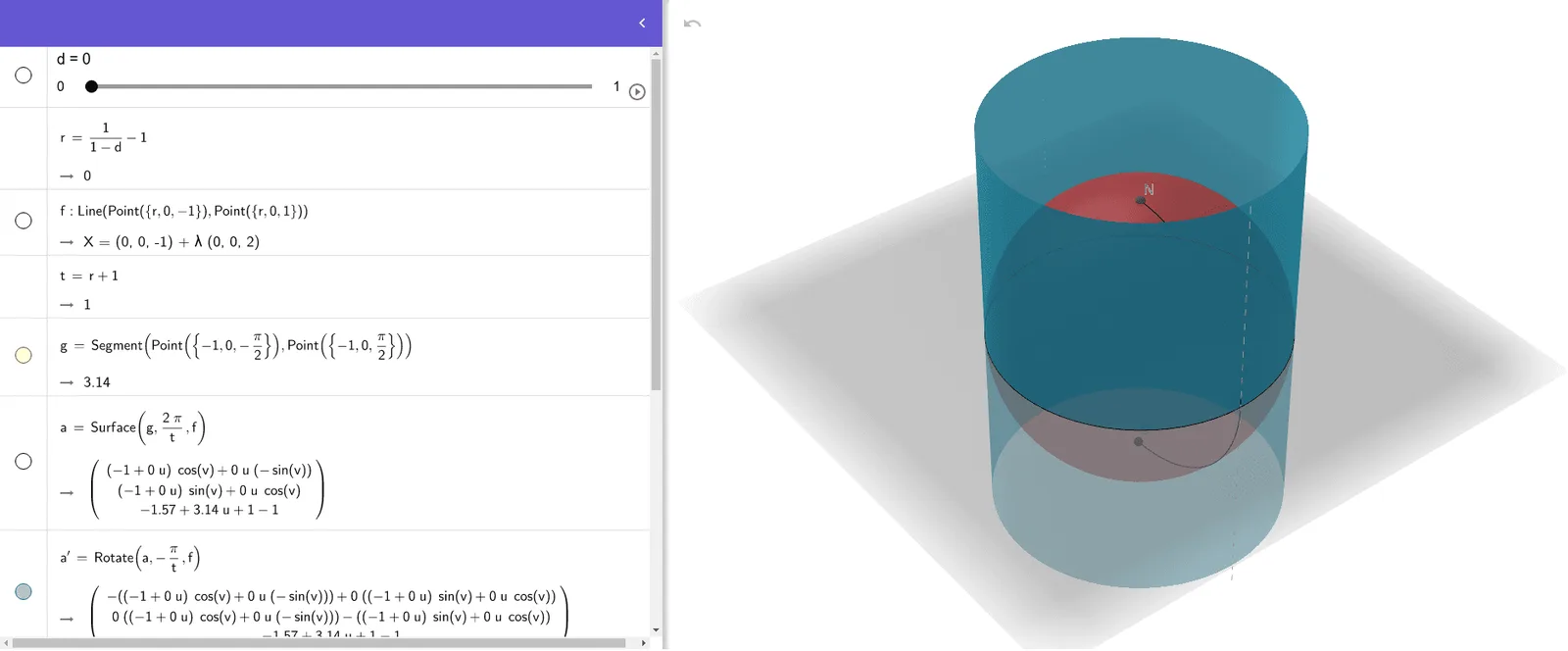
This example demonstrates how to unfold a cylinder's lateral surface into a rectangle, visually illustrating the transformation between spatial geometry and planar graphs. Core mathematical concepts include cylinder surface area, triangles, orthocenter, line segments, quadratic equations, and integral calculus. Construction highlights from the summary involve commands/objects like Line, Segment, Surface, Rotate, Sphere, Circle, Point, and CircumcircleArc in GeoGebra. Suitable for high school courses in solid geometry, coordinate geometry, and calculus.
GeoGebra Commands & Parameters
Line(Point[{r, 0, -1}], Point[{r, 0, 1}]) → fSegment(Point[{-1, 0, ((-π)) / 2}], Point[{-1, 0, π / 2}]) → gSurface(g, ((2 * π)) / t, f) → aRotate(a, ((-π)) / t, f) → a'Sphere(Point[{0, 0, 0}], 1) → bCircle(zAxis, Point[{1, 0, 0}]) → cPoint({0, 0, 1}) → NPoint({0, 0, -1}) → SPoint({-1, 0, 0}) → ECircumcircleArc(N, E, S) → e
AI Drawing Prompt Reference
Draw the lateral surface of a cylinder by first creating its axis and base circle, then generate a rectangular surface through rotation, and finally draw the unfolded rectangle to form the effect of a cylinder's lateral surface unfolding.
The prompt above was compiled from the original drawing commands and is for reference only.