
Cylinder Construction
Loading the math board and drawing, please wait…
In collections
P1 P2 立體圖形 / 3D Shapes
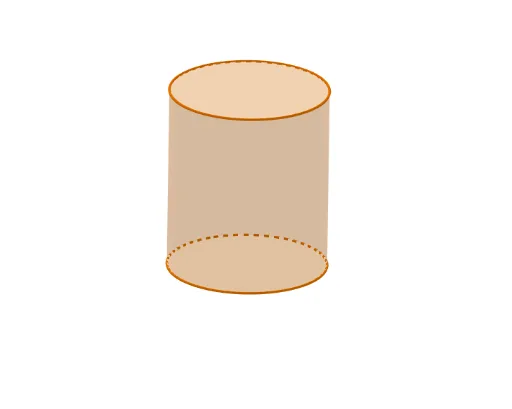
This example demonstrates the 3D geometric construction of a cylinder. Key math concepts include the definition of a cylinder, the generation of a surface by rotating a circle, and the application of parametric equations. Construction highlights from the summary involve commands like Line, If, Circle, Rotate, and Cylinder, along with objects such as S4, ShapePtMove, S3, etc. Suitable for high school solid geometry instruction, helping students understand the formation of rotational solids and parametric representations.
GeoGebra Commands & Parameters
Line((0, 1, 0), (0, 0, 0)) → RotateAxisIf(ShowChi, "立體高度", "Height") → TextSlider1If(ShowChi, "立體位置(高低)", "Vertical Position") → TextSlider3If(ShowChi, "立體位置(橫向)", "Horizontal Position") → TextSlider4If(ShowChi, "透明度", "Transparency") → TextSlider6If(ShowChi, "旋轉立體", "Rotate the shape") → TextSlider5If(ShowChi, "圓柱", "Cylinder") → TextName1Circle(ShapePt1, (S2 * S7), xOyPlane) → ShapeBaseRotate(ShapeBase, S5, ShapePt1, RotateAxis) → ShapeBaseRCylinder(ShapeBaseR, (S1 * S2)) → Shape, c, aIf(ShowChi, "底面大小", "Base Size") → TextSlider7If(ShowChi, "立體大小", "Solid Size") → TextSlider2
AI Drawing Prompt Reference
Draw a cylinder by first creating a circle on the xoy plane as the base, then rotating this circle to form the cylinder. Adjust the cylinder's height, position, transparency, and size.
The prompt above was compiled from the original drawing commands and is for reference only.