
Cylinder Construction by kaews
Loading the math board and drawing, please wait…
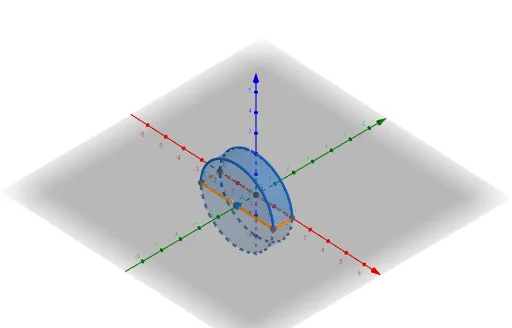
This example demonstrates how to construct a cylinder using GeoGebra. It involves basic geometric concepts of cylinders, including rotation and plane intersections. Using commands such as Point, Intersect, Cylinder, IntersectPath, and Corner, a geometric model of the cylinder can be built. Suitable for middle school and above students or teachers for teaching or self-study.
GeoGebra Commands & Parameters
Point(yAxis) → AIntersect(xAxis, zAxis) → BCylinder(A, B, 2) → a, c, d, bIntersectPath(xOyPlane, a) → eCorner(e) → C, D, E, F
AI Drawing Prompt Reference
In 3D space, first place a point on the vertical axis to serve as the top center of a cylinder, and set the bottom center at the intersection of the horizontal axis and another vertical axis. Using these two points as the centers of the top and bottom faces, construct a cylinder with radius 2. Then, let the horizontal base plane intersect the cylinder, producing a closed curve that forms a rectangle on the plane. Finally, mark the four corners of this rectangle to clearly show the cross-section of the cylinder with the horizontal plane.
The prompt above was compiled from the original drawing commands and is for reference only.