
Customizable Solids of Revolution (y-axis)
Loading the math board and drawing, please wait…
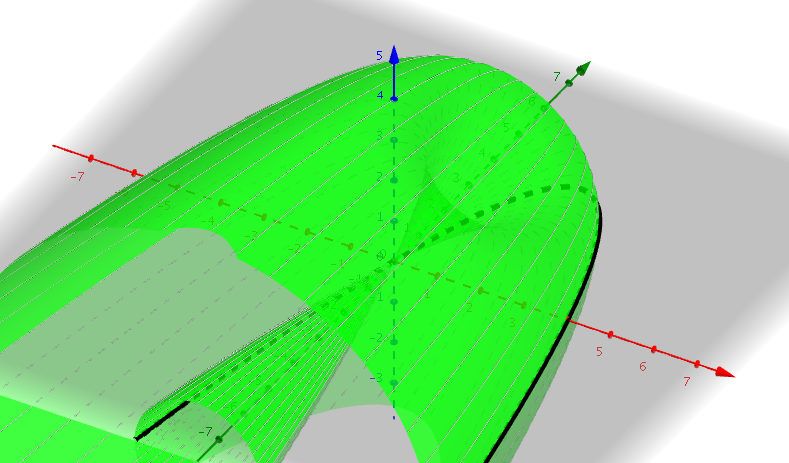
This example demonstrates creating various solids of revolution by revolving functions around the y-axis. Key math concepts include functions, rotation, solid geometry, derivatives, and integrals from calculus. Construction highlights involve using the Surface and Sequence commands in GeoGebra, inputting functions via the INPUT BAR, and parameterizing the rotation axis with a slider. Ideal for high school and above students studying calculus, coordinate geometry, and 3D shape visualization.
GeoGebra Commands & Parameters
Surface((t * cos(u)), f(t), (t * sin(u)), t, -10, 10, u, 0, 6.28319) → aSequence(CurveCartesian[(t * cos(u)), f(t), (t * sin(u)), t, -10, 10], u, 0, 6.28319, 0.15708) → list1
AI Drawing Prompt Reference
Draw a customizable solid of revolution formed by revolving a function around the y-axis, showing the function curve and its rotated 3D shape, using parametric equations to describe the rotation path, and adjust parameters to observe the effects of different functions.
The prompt above was compiled from the original drawing commands and is for reference only.