
Curve Stitching with Parabolas
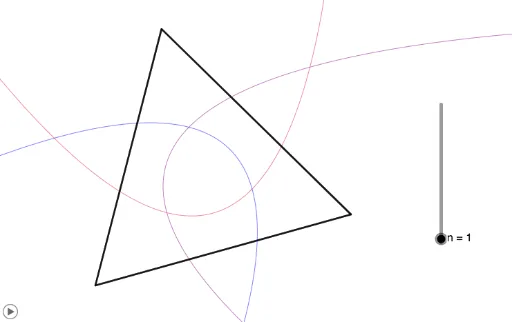
Loading the math board and drawing, please wait…
This example demonstrates how to create curve stitching using parabolas. It involves concepts such as parabolas, arithmetic operations, and random experiments. Using GeoGebra commands like Sequence, Polygon, and Centroid, complex geometric shapes can be constructed. Suitable for high school mathematics education and learning.
GeoGebra Commands & Parameters
Sequence(A + (w * (B - A)), w, 0, 1, 1 / 40) → L_1Polygon(A, B, 3) → poly1, f, g, h, CCentroid(poly1) → DSequence(B + (w * (C - B)), w, 0, 1, 1 / 40) → L_2Sequence(Line[Element[L_1, w], Element[L_2, w]], w, 1, 41) → L_4Sequence(C + (w * (A - C)), w, 0, 1, 1 / 40) → L_3Rotate(L_4, (2 * π / 3), D) → L_6Rotate(L_6, (2 * π / 3), D) → L_7Sequence(If[n ≥ w, Parabola[D, Element[L_4, w]]], w, 1, 41) → L_5Rotate(L_5, 120°, D) → L_8Rotate(L_8, 120°, D) → L_9
AI Drawing Prompt Reference
Draw an equilateral triangle with a central point. Along each side, mark 41 equally spaced points from one vertex to the next. Connect corresponding points on adjacent sides to form three sets of straight line segments. Rotate one set of these segments around the center by 120 degrees twice, creating a symmetric grid of lines. Then, for each point on the line segments, draw a parabola with the center as its focus, producing a dense family of curves inside the triangle. Rotate this parabolic set by 120 degrees twice as well, yielding a threefold rotational symmetry. The final image combines straight lines and parabolas in an intricate, decorative curve-stitching pattern.
The prompt above was compiled from the original drawing commands and is for reference only.