
Curve Projection onto a Surface in Space
Loading the math board and drawing, please wait…
In collections
intersection: surface-surface, curve-curve
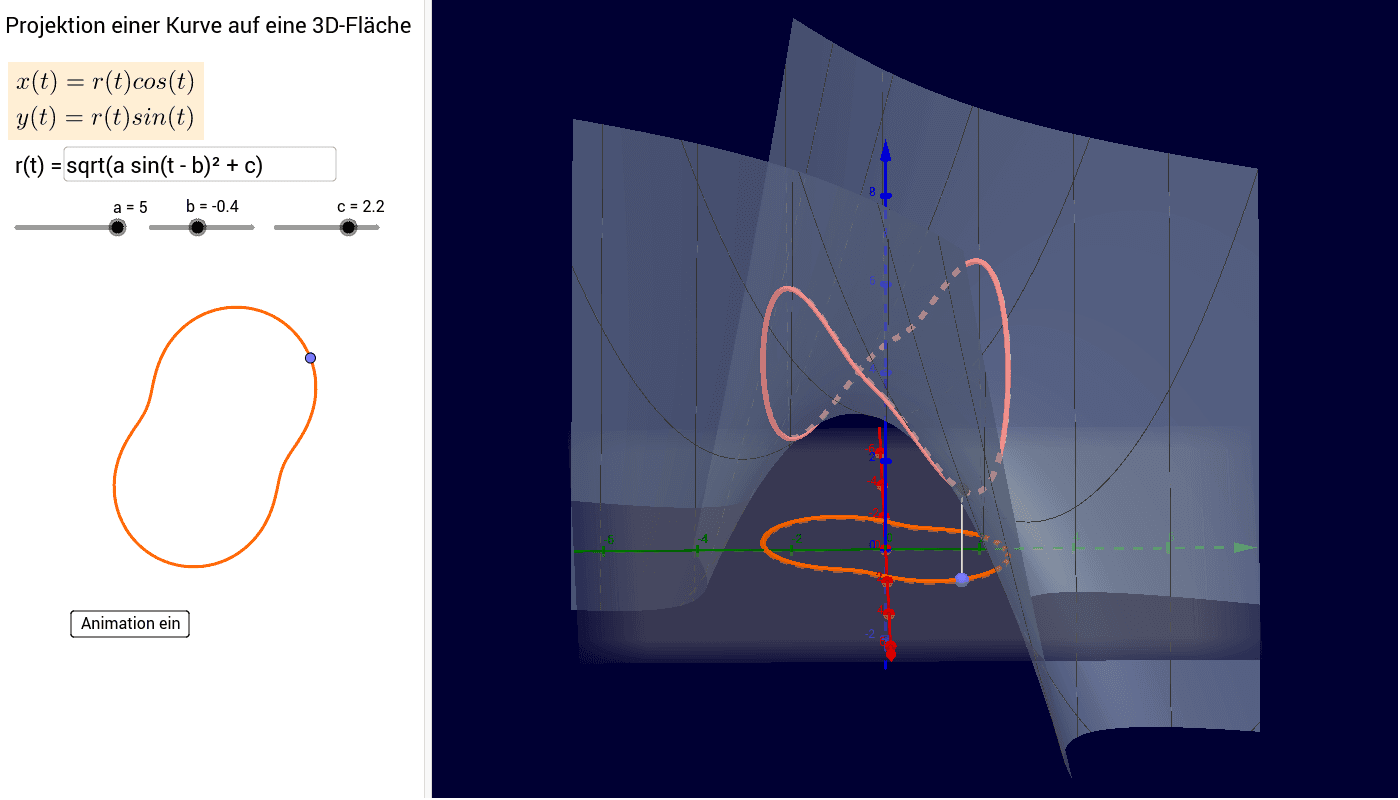
This example demonstrates the projection of a curve onto a surface in three-dimensional space. Key mathematical concepts involved include projection, surface geometry, curve equations, and vectors. The construction utilizes GeoGebra commands such as CurveCartesian for plotting curves, Textfield and Point for annotations, and Segment for line segments, with objects like curves c, points a, b, r, f, kf, k, etc. It is suitable for high school and advanced students studying spatial geometry and projection transformations.
GeoGebra Commands & Parameters
CurveCartesian((r(t) * cos(t)), (r(t) * sin(t)), f((r(t) * cos(t)), (r(t) * sin(t))), t, 0, (2 * π)) → kfCurveCartesian((r(t) * cos(t)), (r(t) * sin(t)), t, 0, (2 * π)) → kTextfield(r) → Eingabefeld1Point(k) → ASegment(B, A) → d