
Cube Volume Trisection Demo
Loading the math board and drawing, please wait…
In collections
Surface Area and Volume
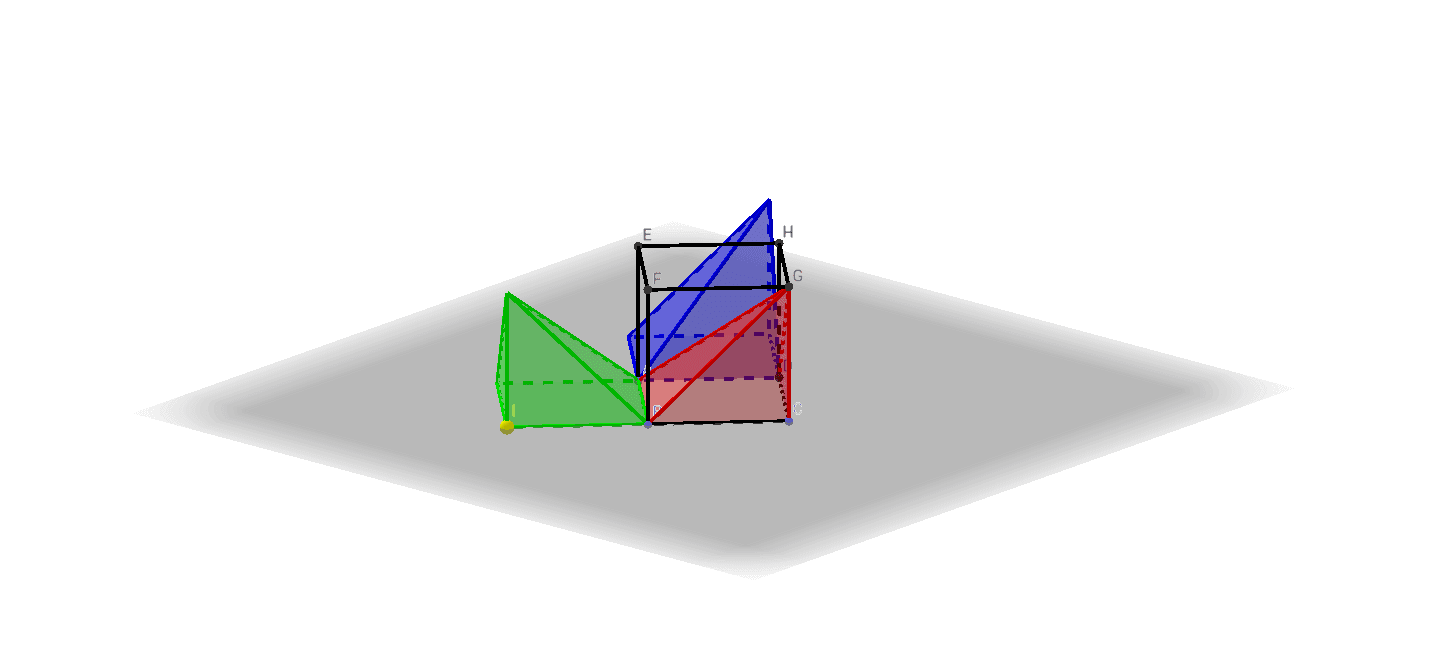
This example demonstrates the geometric construction of trisecting the volume of a cube. It involves core mathematical concepts such as solid geometry, volume calculation, complex number applications, and function graphs. GeoGebra commands and objects like Point, Cube, Circle, Intersect, Arc, Pyramid, Rotate, and Angle are used in the construction. Suitable for high school and above students to understand the application of spatial geometry and complex numbers in geometric problems.
GeoGebra Commands & Parameters
Point(xAxis) → APoint(yAxis) → BPoint(Circle[B, Distance[A, B], Segment[A, B]]) → CCube(A, B, C) → a, D, faceCDHG, faceEFGH, edgeAD, edgeAB, edgeBC, edgeCD, edgeAE, edgeDH, edgeEH, edgeEF, E, edgeBF, edgeFG_1, edgeCG_1, edgeGH_1, F, G, H, faceABCD, faceADHE, faceABFE, faceBCGFCircle(edgeAB, F) → dIntersect(xOyPlane, d) → J, KArc(d, F, K) → fPyramid(faceABCD, G) → b, faceADG_1, faceABG_1, faceBCG, faceCDG, edgeDG_1, edgeAG_1, edgeBG_1, edgeCGPyramid(faceABFE, G) → c, faceABG, faceAEG_1, faceEFG, faceBFG, edgeBG, edgeAG_2, edgeEG_1, edgeFGRotate(F, 90°, edgeAB) → F'Point(f) → IAngle(F, B, I) → αRotate(c, α, edgeAB) → c'Pyramid(faceADHE, G) → e, faceAEG, faceADG, faceDGH, faceEGH, edgeEG, edgeAG, edgeDG, edgeGHRotate(e, α, edgeAD) → e'
AI Drawing Prompt Reference
Draw a cube and trisect its volume. Start by constructing a cube, then draw a circle on the base, intersecting it at two points. Rotate this circle around one of the base edges to form an arc. Use this arc and a vertex of the cube to create a pyramid, and then rotate this pyramid to trisect the cube's volume.
The prompt above was compiled from the original drawing commands and is for reference only.