
Cube Volume Calculation by Rebecca_Math2017
Loading the math board and drawing, please wait…
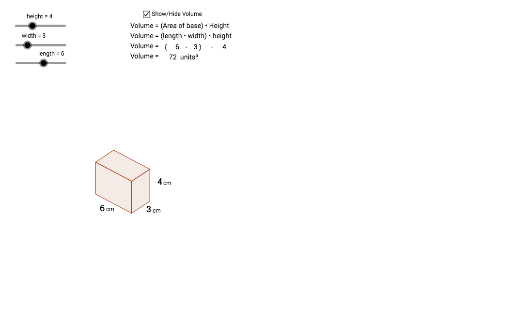
This example demonstrates the calculation of a cube's volume. It involves core mathematical concepts like volume formulas, three-dimensional geometry, and real number operations. Constructed using GeoGebra commands and objects such as Vector, Line, Intersect, Segment, Polygon, and Midpoint, it builds a cube model for volume calculation. Suitable for high school students learning and understanding solid geometry volume calculations, and also for mathematical teaching demonstrations.
GeoGebra Commands & Parameters
Vector(((0.75 * width), (0.5 * width))) → wVector((0, height)) → zVector(((-0.75 * length), (0.4 * length))) → uLine(C, z) → dLine(B, w) → eLine(B, u) → fLine(A, z) → gIntersect(f, g) → DIntersect(d, e) → ESegment(A, D) → hSegment(D, B) → iSegment(B, E) → jSegment(E, C) → kLine(D, j) → lLine(E, i) → mIntersect(l, m) → FSegment(D, F) → nSegment(F, E) → pPolygon(D, A, O, B) → poly1, d_1, a_1, o, b_1Polygon(D, F, E, B) → poly2, d_2, f_1, e_1, b_2Polygon(O, C, E, B) → poly3, o_1, c_1, e_2, b_3Midpoint(o_1) → GMidpoint(c_1) → HMidpoint(a_1) → I
AI Drawing Prompt Reference
Draw a cube model with points A, B, C, D, E, F, G, H, I, and line segments AB, BC, CD, DA, EF, FG, GE, DF, DE, BF, DG, and EF. Use these points and line segments to construct a cube and calculate its volume.
The prompt above was compiled from the original drawing commands and is for reference only.