
Cube Example
Loading the math board and drawing, please wait…
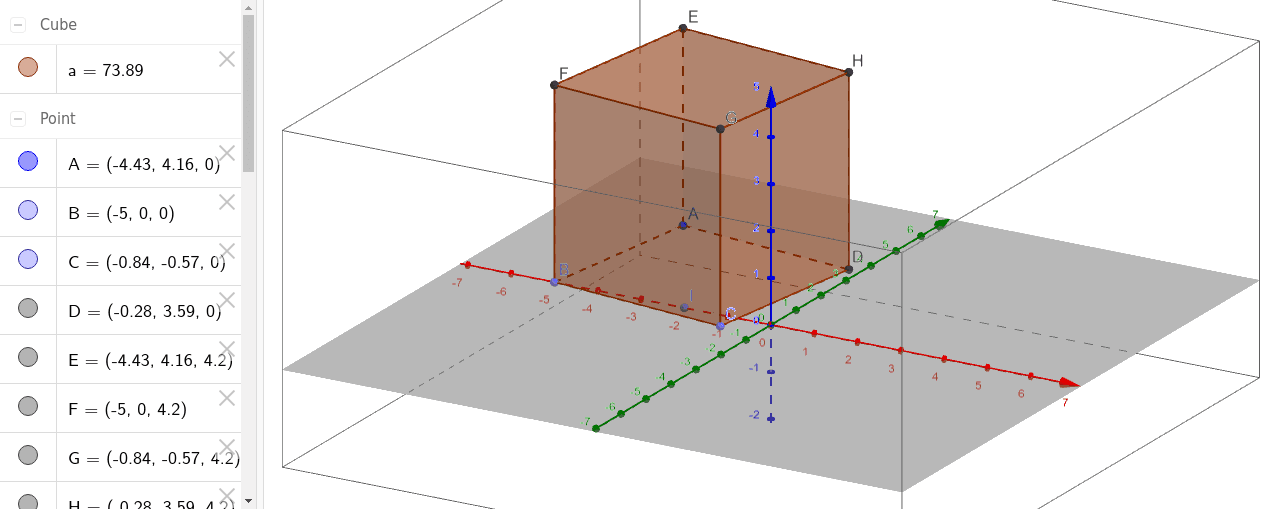
This example demonstrates the 3D geometric construction and basic properties of a cube, involving core math concepts like solid geometry and spatial transformations. It uses commands/objects such as Point and Cube from GeoGebra. Suitable for high school students and math enthusiasts learning 3D geometry and spatial visualization.
GeoGebra Commands & Parameters
Point(xAxis) → BPoint(Circle[B, Distance[A, B], Segment[A, B]]) → CCube(A, B, C) → a, D, faceCDHG, faceEFGH, edgeAD, edgeAB, edgeBC, edgeCD, edgeAE, edgeDH, edgeEH, edgeEF, E, edgeBF, edgeFG, edgeCG, edgeGH, F, G, H, faceABCD, faceADHE, faceABFE, faceBCGFPoint(xAxis) → I
AI Drawing Prompt Reference
Draw a cube by first creating point B on the X-axis, then creating point C on the circle with center A and radius AB. Next, construct cube a using points A, B, and C, showing all six faces and 12 edges. Finally, create point I on the X-axis.
The prompt above was compiled from the original drawing commands and is for reference only.