
Cube 3D Animation: Rotation and Section Exploration
Loading the math board and drawing, please wait…
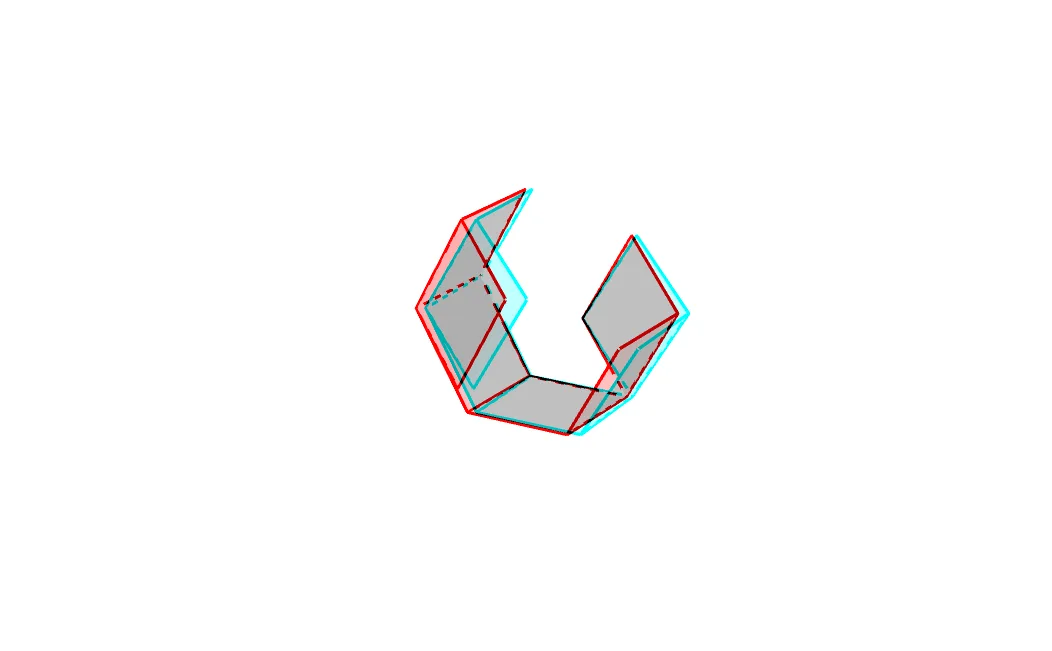
① This GeoGebra example demonstrates a rotating cube in 3D view, dynamically showing how a plane intersects the cube to produce varying cross-sections, making spatial geometry visible and interactive. ② Core mathematical concepts include solid geometry (cube properties), spatial rotation, plane-polyhedron intersections (sections), and the appearance of conic sections (circles, ellipses) in cross-sections, with extensions to definite integrals and spheres. ③ Construction highlights: using commands Point, Circle, Line, Intersect, Rotate, and Polygon to build base points, circles, lines, and intersections; rotating cube vertices via Rotate; generating faces with Polygon; and employing multiple auxiliary objects (A, B, C, D, E, F, G, H and primed variants) to create dynamic structures, resulting in several polygons (mnohoúhelník1-4) that visualize rotation and section effects. ④ Suitable for upper secondary to early university students, for teaching solid geometry, enhancing spatial reasoning, and for dynamic mathematical demonstrations or inquiry-based learning.
GeoGebra Commands & Parameters
Point(xAxis) → ACircle(zAxis, A) → cPoint(c) → BLine(B, xAxis) → aPoint(yAxis) → CLine(C, xAxis) → bLine(A, yAxis) → dPoint(c) → DLine(D, d) → eIntersect(e, a) → EIntersect(b, e) → FIntersect(b, d) → GPoint(a) → HRotate(d, (-r), e) → d'Rotate(G, (-r), e) → G'Rotate(H, (-r), e) → H'Line(G', H') → fRotate(F, (-r), f) → F'Rotate(E, (-r), f) → E'Polygon(F', E', H', G') → mnohoúhelník1, f', e', h', g'Polygon(G', F, E, H') → mnohoúhelník2, g'_1, f_1, e_1, h'_1Polygon(F, E, H, G) → mnohoúhelník3, f_2, e_2, h, gRotate(F, (-r), d) → F'_1Rotate(E, (-r), d) → E'_1Polygon(G, F'_1, E'_1, H) → mnohoúhelník4, g_1, f'_1, e'_1, h_1Line(F', G') → iPoint(a) → ILine(I, E'_1) → jRotate(E', r, i) → E''Rotate(H', r, i) → H''Polygon(E'', F', G', H'') → mnohoúhelník5, e'', f'_2, g'_2, h''Rotate(F'_1, (-r), j) → JRotate(G, (-r), j) → G'_1Polygon(H, G'_1, J, E'_1) → mnohoúhelník6, h_2, g'_3, j_1, e'_2
AI Drawing Prompt Reference
Draw a rotating cube in 3D view, showing how a plane intersects it to produce varying cross-sections, demonstrating spatial geometry dynamically. Rotate the cube's vertices, generate faces with polygons, and display dynamic cross-sections including circles and ellipses. Use a slider to control rotation speed, highlighting the interaction between the cube and the plane for educational purposes.
The prompt above was compiled from the original drawing commands and is for reference only.