
Crosswind Calculator
Loading the math board and drawing, please wait…
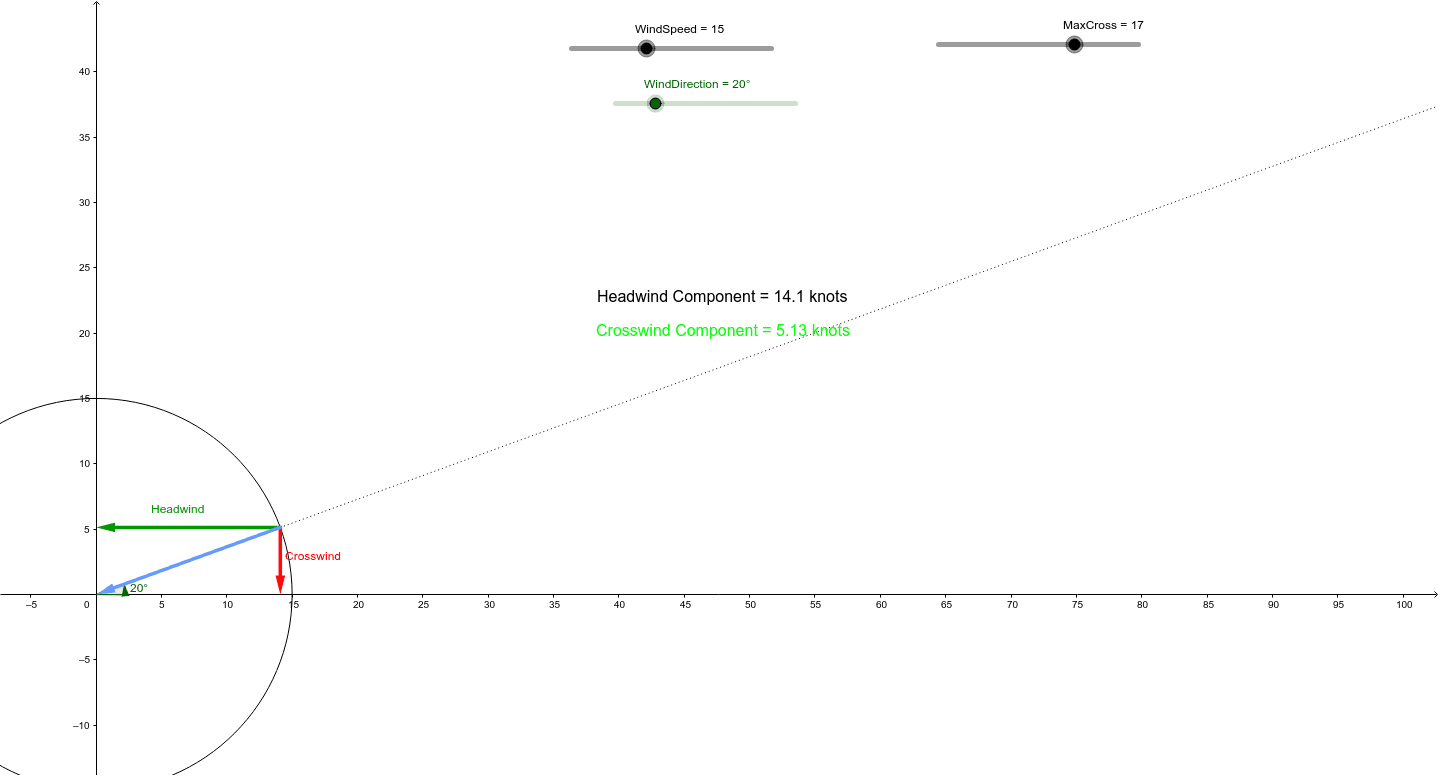
This example demonstrates how to calculate the impact of crosswind on flight paths. Key mathematical concepts include vectors and trigonometry. Using GeoGebra commands such as Intersect, Circle, and Rotate, the example dynamically shows the effect of wind speed, wind direction, and crosswind on flight paths. Suitable for high school and above students to learn the application of vectors and trigonometry.
GeoGebra Commands & Parameters
Intersect(xAxis, yAxis) → BCircle(B, A) → cIntersect(c, xAxis, 2) → CRotate(C, WindDirection, B) → C'Ray(B, C') → aOrthogonalLine(C', xAxis) → bOrthogonalLine(C', yAxis) → dIntersect(b, xAxis) → DIntersect(d, yAxis) → EVector(C', D) → uVector(C', E) → vVector(C', B) → wRay(B, C') → gAngle(xAxis, g) → β
AI Drawing Prompt Reference
Draw a crosswind calculator that includes wind direction, wind speed, and flight path. Start by drawing the x-axis and y-axis, find their intersection point B, and draw a circle c with B as the center. Then find one of the two intersection points of circle c with the x-axis, C, and rotate C around the wind direction to get C'. Draw a ray a from B to C', and the perpendicular lines b and d from C' to the x-axis and y-axis, respectively. Find the intersection points D and E of b with the x-axis and d with the y-axis. Draw vectors u (from C' to D), v (from C' to E), and w (from C' to B), and finally draw a ray g from B to C'. Measure the angle β between the x-axis and g.
The prompt above was compiled from the original drawing commands and is for reference only.