
Unit Circle: Basic Graph of Trigonometric Functions
Loading the math board and drawing, please wait…
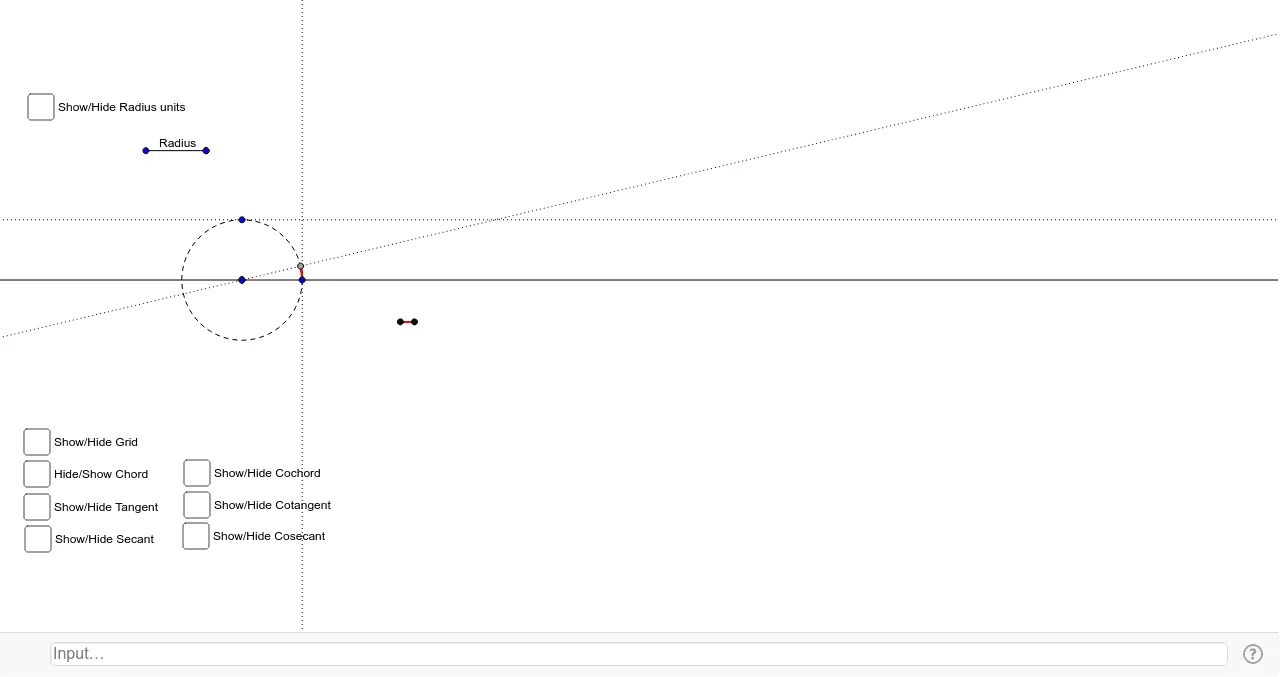
This example demonstrates the unit circle as the foundation for trigonometric functions. The key mathematical concepts involved include trigonometric functions, geometric properties of circles, and the relationship between points and circles in a coordinate system. Construction involves GeoGebra commands such as Vector, Translate, Circle, and others. Suitable for middle or high school mathematics learning to understand the basic concepts and graph characteristics of trigonometric functions.
GeoGebra Commands & Parameters
Vector((0, 0), (1, 0)) → vTranslate(A, v) → A'Ray(A, A') → aPoint(a) → BSegment(A, B) → bVector(A, B) → RadiusTranslate(C, Radius) → C'Circle(C, C') → cPoint(c) → DCircleArc(C, C', D) → dLine(C, C') → eOrthogonalLine(D, e) → fIntersect(f, e) → ESegment(D, E) → gPoint(Circle[F, abs(d)]) → GSegment(F, G) → hVector(E, D) → Chord_1OrthogonalLine(F, Radius) → iTranslate(i, Radius) → i'Translate(i', Radius) → i''Translate(i'', Radius) → i'''Translate(i''', Radius) → jTranslate(j, Radius) → j'Translate(j', Radius) → j''Translate(G, Chord_1) → G'Segment(G', G) → kIntersect(i', h) → HIntersect(i'', h) → IIntersect(i''', h) → JIntersect(j, h) → KIntersect(j', h) → LIntersect(j'', h) → MRotate(B, 90*°, A) → B'Translate(A, Radius) → A'_1Vector(A, A'_1) → uVector(A, B') → wRay(F, G) → mTranslate(F, w) → F'Translate(G, w) → G'_1Ray(F', G'_1) → m'Translate(F', w) → F''Translate(G'_1, w) → NRay(F'', N) → m''Translate(F'', w) → F'''Translate(N, w) → N'Ray(F''', N') → m'''Mirror(F''', m) → OMirror(N', m) → N''Ray(O, N'') → nMirror(F'', m) → F'''_1Mirror(N, m) → N'_1Ray(F'''_1, N'_1) → m'''_1Mirror(F', m) → F''_1Mirror(G'_1, m) → PRay(F''_1, P) → m''_1OrthogonalLine(C', m') → lLine(C, D) → pIntersect(l, p) → QSegment(Q, C') → rVector(C', Q) → TangentTranslate(G, Tangent) → G'_2Segment(G'_2, G) → tIntersect(l, p) → RSegment(R, C) → a_1Point(a_1) → SVector(C, R) → SecantLine(C, C') → b_1OrthogonalLine(D, Secant) → c_1Intersect(b_1, c_1) → TVector(C, T) → Secant_2Translate(G, Secant_2) → G'_3Rotate(G'_3, 90*°, G) → USegment(G, U) → d_1Segment(C, T) → e_1Ray(C, C') → g_1Rotate(C, 57.29577951308232*°, C) → C'_1Rotate(C', 57.29577951308232*°, C) → C''Ray(C'_1, C'') → h_1Intersect(d, h_1) → V,Rotate(C'_1, 57.29577951308232*°, C) → WRotate(C'', 57.29577951308232*°, C) → C'''Ray(W, C''') → i_1Rotate(W, 57.29577951308232*°, C) → W'Rotate(C''', 57.29577951308232*°, C) → ZRay(W', Z) → j_1Rotate(W', 57.29577951308232*°, C) → W''Rotate(Z, 57.29577951308232*°, C) → Z'Ray(W'', Z') → k_1Rotate(W'', 57.29577951308232*°, C) → W'''Rotate(Z', 57.29577951308232*°, C) → Z''Ray(W''', Z'') → l_1Rotate(W''', 57.29577951308232*°, C) → A_1Rotate(Z'', 57.29577951308232*°, C) → Z'''Ray(A_1, Z''') → m_1Intersect(d, i_1, 1) → B_1Intersect(d, j_1, 1) → C_1Intersect(d, k_1, 1) → D_1Intersect(d, l_1, 1) → E_1Intersect(d, m_1, 1) → F_1Line(D, b) → p_1OrthogonalLine(C, p_1) → q_1Intersect(p_1, q_1) → G_1Segment(D, G_1) → r_1Vector(G_1, D) → CochordTranslate(G, Cochord) → G'_4Rotate(G'_4, 90*°, G) → H_1Segment(H_1, G) → s_1Rotate(C', 90*°, C) → C''_1OrthogonalLine(C''_1, l) → t_1Intersect(p, t_1) → I_1Segment(C''_1, I_1) → a_2Vector(C''_1, I_1) → CotangentTranslate(G, Cotangent) → G'_5Rotate(G'_5, 90*°, G) → J_1Segment(J_1, G) → b_2Line(C, C') → c_2Intersect(p, t_1) → K_1Segment(C, K_1) → d_2Line(C, C''_1) → e_2OrthogonalLine(D, d_2) → f_2Intersect(e_2, f_2) → L_1Segment(C, L_1) → g_2
AI Drawing Prompt Reference
Draw a unit circle. The center is the center, radius is the radius. Draw a diameter and a perpendicular line intersecting at a point. Connect the center and the intersection point to get a chord. Draw an arc. Rotate a point around another point by 90 degrees. Reflect two points about a line. Describe the relationships: unit circle, diameter, perpendicular line, intersection point, chord, arc, rotated point, and reflected points.
The prompt above was compiled from the original drawing commands and is for reference only.