
Cross-Sections of a Cone
Loading the math board and drawing, please wait…
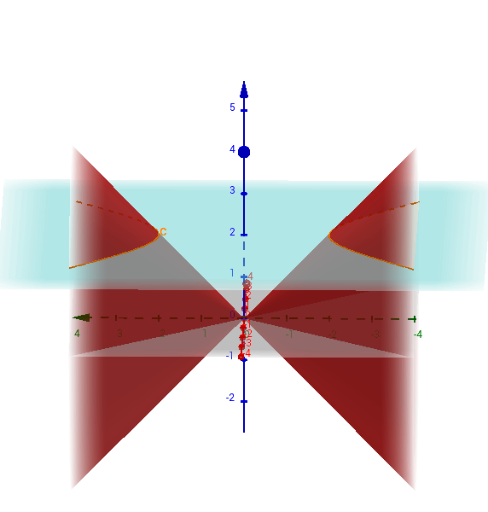
This example demonstrates the various cross-sections formed by intersecting a cone with different planes. It involves core mathematical concepts such as cones, planes, 3D vectors, and hyperbolas. The construction uses the GeoGebra command IntersectPath to calculate intersections and objects like a, b, c, d, e, f, g, h, i, j, k, l, m, p, q, r, s, t, c_1, text1, B, text2 for geometric construction and labeling. It is suitable for high school and above students studying solid geometry, coordinate geometry, and applications of integration in calculus.
GeoGebra Commands & Parameters
IntersectPath(b, a) → cIntersectPath(d, a) → eIntersectPath(f, a) → gIntersectPath(h, a) → pIntersectPath(i, a) → qIntersectPath(j, a) → rIntersectPath(k, a) → sIntersectPath(l, a) → tIntersectPath(m, a) → c_1
AI Drawing Prompt Reference
Draw a 3D cone intersected by several planes at different angles, showing various cross-sections such as circles, ellipses, parabolas, and hyperbolas. Each intersection curve should be clearly visible on the cone's surface, with labels for each curve. The overall scene should illustrate the concept of plane-cone intersections in solid geometry, suitable for high school and college students.
The prompt above was compiled from the original drawing commands and is for reference only.