
Planes Intersecting Example
Loading the math board and drawing, please wait…
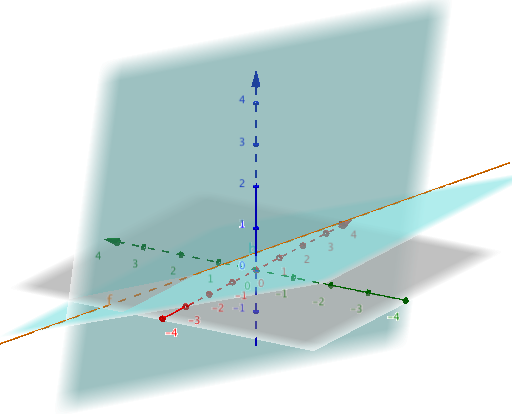
This example demonstrates the intersection of two planes forming a line. It involves key mathematical concepts such as plane equations and line equations. Using GeoGebra commands like Point, Plane, and IntersectPath, the intersection of two planes and the resulting line can be constructed. Suitable for high school mathematics education and students learning solid geometry.
GeoGebra Commands & Parameters
Point(xAxis) → APoint(zAxis) → CPlane(A, C, B) → aPoint(yAxis) → DPoint({0, -2, 1}) → EPoint({2, 1, 0}) → FPlane(D, E, F) → bIntersectPath(a, b) → f
AI Drawing Prompt Reference
Draw two intersecting planes that form a line. First, define three points for each plane: one plane passes through points on the x-axis and z-axis and the origin, the other passes through a point on the y-axis and two points in the x-z plane above it, one two units in the negative y-direction and another at y=1. Then, draw the line of intersection between the two planes.
The prompt above was compiled from the original drawing commands and is for reference only.