
Cross Section of a Cuboid
Loading the math board and drawing, please wait…
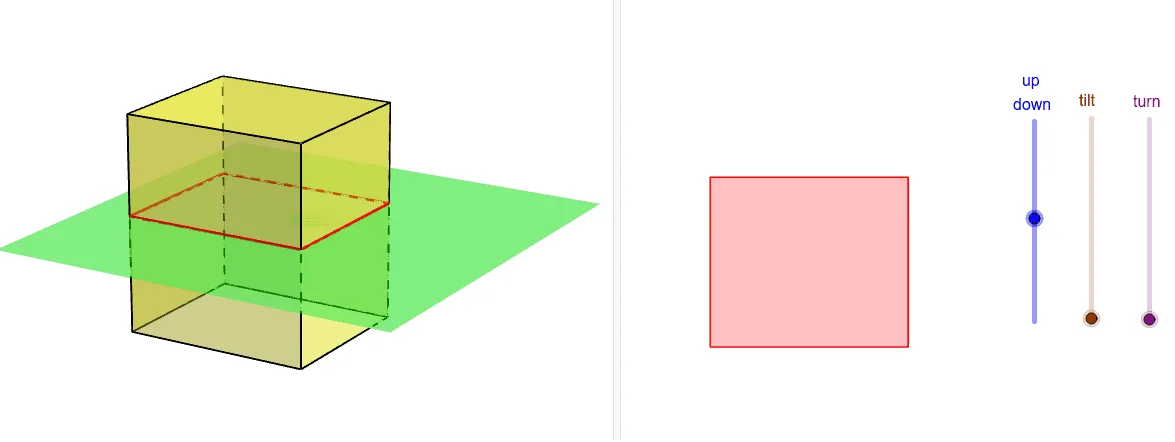
This example demonstrates the dynamic visualization of cross-sections of a cuboid through interactive manipulation. Key math concepts include solid geometry, cross-sectional geometry, and geometric transformations. Construction highlights involve commands like Prism, Translate, IntersectPath, Rotate, Segment, utilizing objects such as EE, DD, CC, etc. Suitable for high school and university students learning solid geometry, cross-section analysis, and geometric modeling.
GeoGebra Commands & Parameters
Prism(Polygon[AA, BB, CC, DD], EE) → p, O, edgeBBO, edgeCCP, edgeDDQ, edgeEEO, edgeOP, edgePQ, edgeEEQ, P, Q, faceAABBOEE, faceBBCCPO, faceCCDDQP, faceAADDQEE, faceEEOPQ, edgeAAEETranslate(Rotate[Rotate[Plane[xAxis, yAxis], tt, xAxis], rr, zAxis], Vector[(0, 0, ud)]) → bIntersectPath(b, p) → poly3, R, S, T, U, l, m, n, qRotate(Rotate[Translate[poly3, Vector[(0, 0, (-ud))]], (-rr), zAxis], (-tt), xAxis) → poly2Segment(AA, BB) → edgeAABBSegment(BB, CC) → edgeBBCCSegment(CC, DD) → edgeCCDDSegment(DD, AA) → edgeDDAA
AI Drawing Prompt Reference
Draw a cuboid and dynamically show its cross-sections at different planes. First, draw a cuboid with a quadrilateral base. Then, generate different angle cross-sections through rotation and translation. Use the IntersectPath command to find the intersection lines between the cross-section and the cuboid. Finally, rotate and translate the cross-section back to its initial position.
The prompt above was compiled from the original drawing commands and is for reference only.