
Cross Product Visualization
Loading the math board and drawing, please wait…
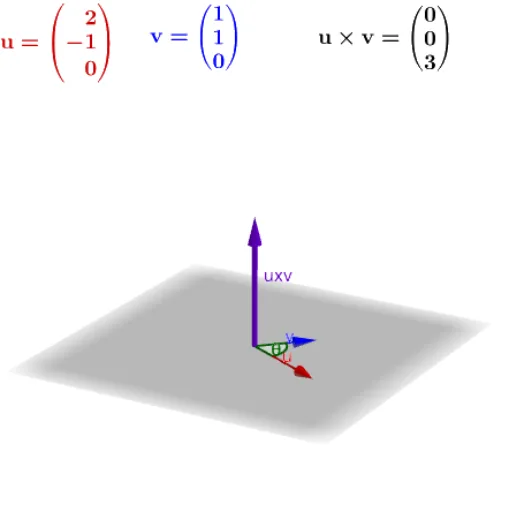
This example visualizes the cross product of two vectors, u and v, generating the vector uxv. By adjusting the direction and length of the vectors, the magnitude and direction of the cross product vector can be observed. Commands used include Intersect, Vector, Angle, and Element. Suitable for high school and above students learning vectors and solid geometry.
GeoGebra Commands & Parameters
Intersect(xAxis, yAxis) → AVector(A, B) → uVector(A, C) → vAngle(B, A, C) → θAngle(B, A, C) → θ1Vector(A, B) → u1Vector(A, C) → v1Element(listvectordirection, faces) → Selectedvector