
Create Kite, Rhombus, Trapezoid, etc
Loading the math board and drawing, please wait…
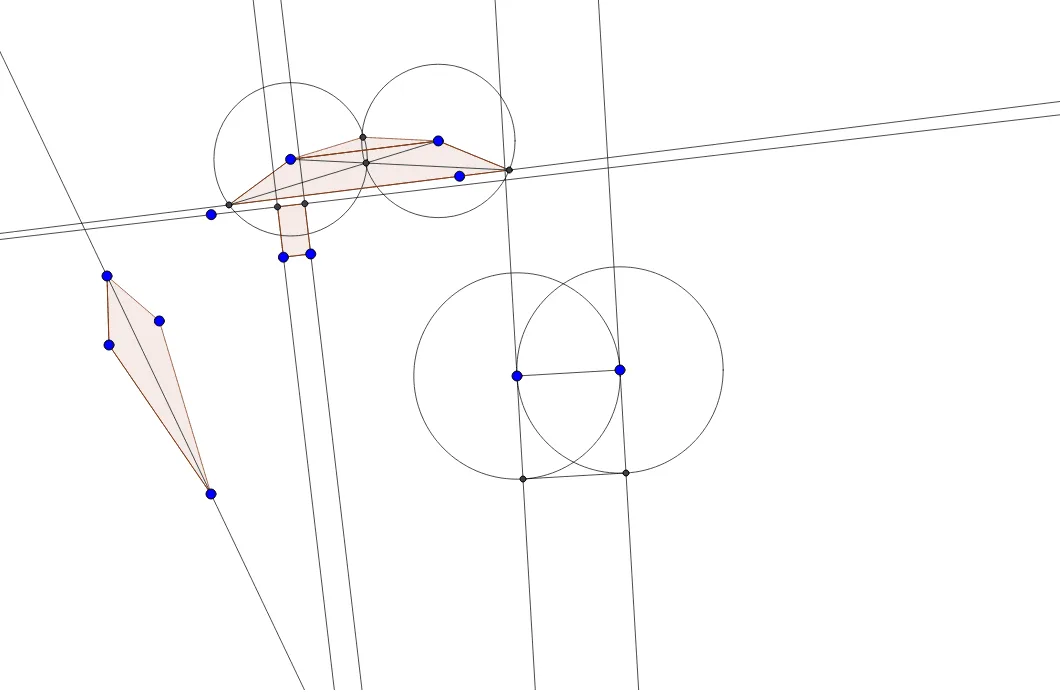
This example demonstrates how to construct kites, rhombuses, trapezoids, and other polygons using GeoGebra. Key math concepts include polygon construction, symmetry, angle relationships, and geometric transformations. The construction involves commands like Segment, Line, Circle, Intersect, Polygon, Mirror, and OrthogonalLine. Suitable for high school mathematics education or for geometry enthusiasts learning geometric construction techniques.
GeoGebra Commands & Parameters
Segment(A, B) → fLine(C, f) → gCircle(A, 4.0816663263917095) → cIntersect(c, g, 1) → DSegment(A, D) → hCircle(B, h) → dIntersect(d, g, 2) → FSegment(B, F) → iPolygon(D, A, B, F) → q1, d_1, a, b, f_1Segment(E, G) → jSegment(G, H) → kLine(E, H) → lMirror(G, l) → G'Polygon(G, E, G', H) → q2, g_1, e, g', h_1Segment(A, F) → mSegment(B, D) → nIntersect(m, n) → IMirror(I, f) → I'Polygon(A, I', B) → t1, b_1, a_1, i'Segment(J, K) → pOrthogonalLine(K, p) → qLine(L, p) → rLine(J, q) → sIntersect(r, s) → MIntersect(q, r) → NPolygon(J, M, N, K) → q3, j_1, m_1, n_1, k_1Segment(O, P) → tCircle(O, t) → c_1Circle(P, t) → e_1OrthogonalLine(O, t) → i_1OrthogonalLine(P, t) → l_1Intersect(c_1, i_1, 1) → QIntersect(e_1, l_1, 1) → RSegment(Q, R) → p_1