
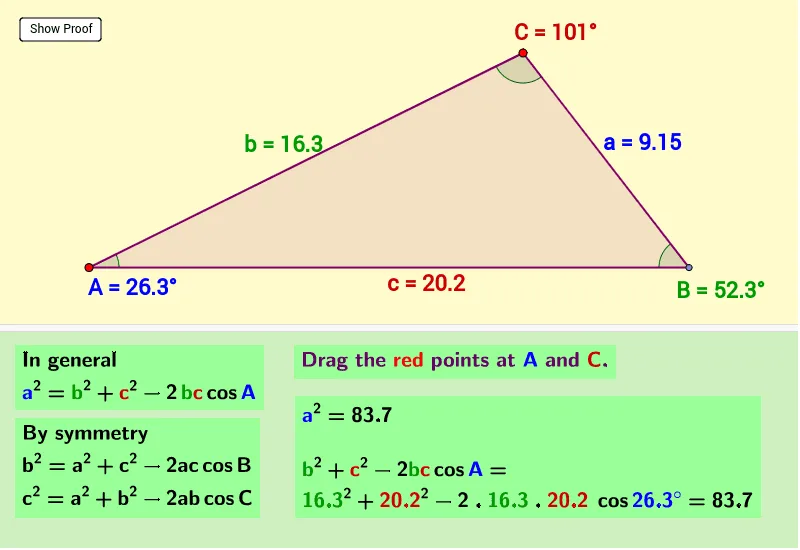
Cosine Law Demonstration with Draggable Points
Loading the math board and drawing, please wait…
In collections
MA440
This example demonstrates the cosine rule through geometric construction using draggable points. It shows the relationship between side lengths and angles in a triangle. Key mathematical concepts include the cosine rule, triangle properties, and geometric construction. The construction involves GeoGebra commands such as Point, Polygon, OrthogonalLine, Intersect, Segment, Angle, and Midpoint. Suitable for middle or high school mathematics education to understand triangle geometry and construction techniques.
GeoGebra Commands & Parameters
Point(xAxis) → APoint(xAxis) → BPolygon(A, B, C) → poly1, c, a, bOrthogonalLine(C, c) → dIntersect(d, xAxis) → DSegment(C, D) → eAngle(B, A, C) → αAngle(C, B, A) → βAngle(A, C, B) → γSegment(D, A) → fMidpoint(a) → EMidpoint(c) → FMidpoint(b) → GAngle(A, D, C) → δMidpoint(e) → HMidpoint(f) → IMidpoint(D, B) → J