
Construction of a Square
Loading the math board and drawing, please wait…
In collections
Geometric Constructions Using GeoGebra
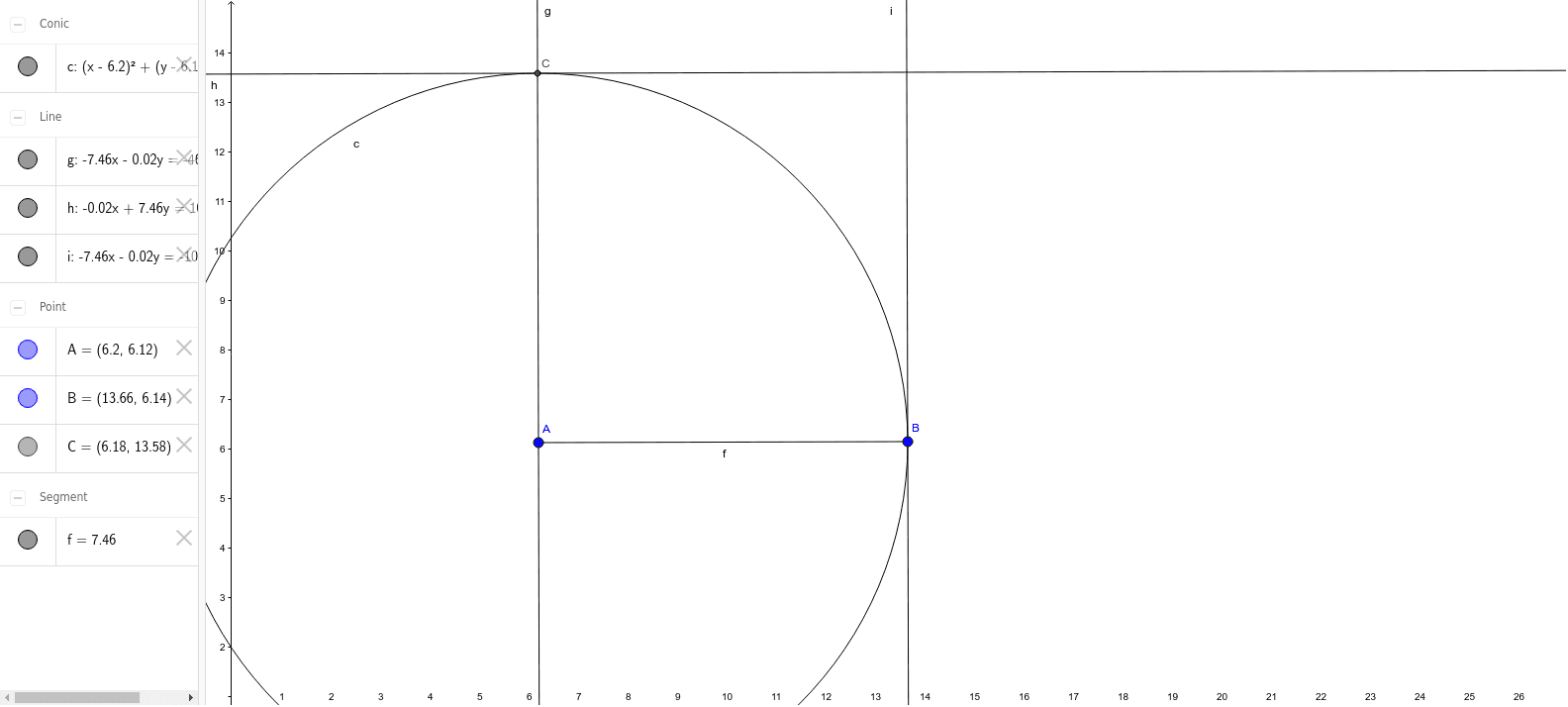
This example demonstrates how to construct a square using GeoGebra. Key mathematical concepts include geometric construction and vectors. Using commands such as Segment, OrthogonalLine, Circle, Intersect, and Line, a square can be constructed. Suitable for middle school and above students or teachers.
GeoGebra Commands & Parameters
Segment(A, B) → fOrthogonalLine(A, f) → gCircle(A, Segment[A, B]) → cIntersect(c, g, 2) → CLine(C, f) → hOrthogonalLine(B, f) → i
AI Drawing Prompt Reference
Draw a square by first creating line segment AB, then drawing a line g perpendicular to AB through point A, followed by drawing a circle c with AB as its radius. The intersection of circle c and line g (other than A) is point C. Draw a line h parallel to AB through point C, and a line i perpendicular to AB through point B. The intersection of line i and circle c (other than B) is the fourth vertex of the square.
The prompt above was compiled from the original drawing commands and is for reference only.