
Construction of 60° Using Compasses
Loading the math board and drawing, please wait…
In collections
Mathematics Form 1
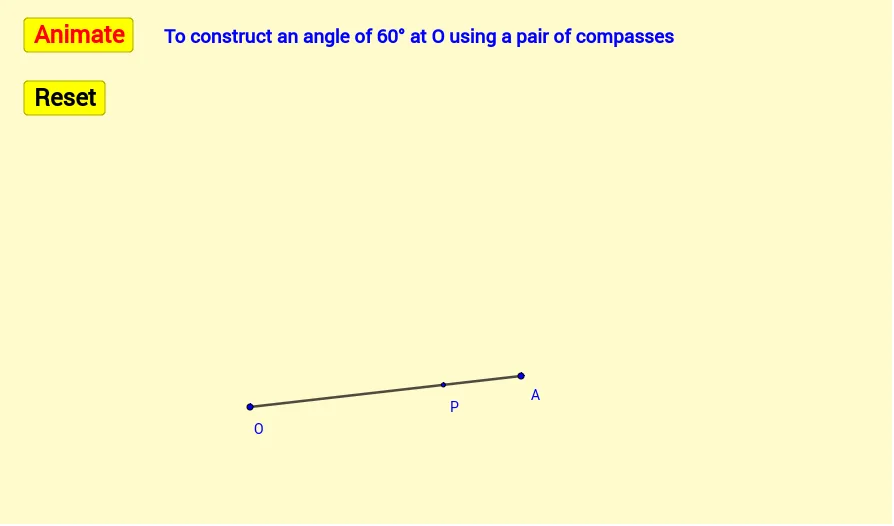
①This example demonstrates how to construct a 60° angle using only compasses (no marked ruler), with interactive buttons and dynamic text explanations. ②The core mathematical concept is the property of an equilateral triangle: since all three sides are equal, each interior angle is 60°, so constructing an equilateral triangle yields the desired angle. ③Construction details: from the summary, commands such as Segment, Point, and Circle are used; a circle is drawn with center O and radius OA, then another circle with center A and the same radius; their intersection P with O and A forms an equilateral triangle, giving the 60° angle. Additional commands like If, Vector, Translate, and SelectedIndex enable dynamic step-by-step demonstration and button controls, with multiple text objects (Tex1~Tex6) labeling angles and steps. ④This is suitable for middle school geometry lessons on compass-and-straightedge constructions, and serves as a reference for designing interactive GeoGebra worksheets.
GeoGebra Commands & Parameters
Segment(O, A) → fPoint(f) → PCircle(O, P) → eIf(a ≟ true, Rotate[P, 100°, O], Rotate[P, -100°, O]) → P'If(a ≟ true, Rotate[A, 60°, O], Rotate[A, -60°, O]) → B'Circle(P, O) → hIf(a ≟ true, Rotate[O, -40°, P], Rotate[O, 40°, P]) → CIf(a ≟ true, Rotate[O, (-β), P], Rotate[O, β, P]) → EIf(a ≟ true, Arc[h, E, C], Arc[h, C, E]) → kIf(a ≟ true, Rotate[P, α, O], Rotate[P, (-α), O]) → DIf(a ≟ true, Arc[e, P, D], Arc[e, D, P]) → cVector(O, B') → uTranslate(O, Vector[(b * u)]) → O'Segment(O, O') → gIf(a ≟ true, Angle[A, O, B'], Angle[B', O, A]) → γSelectedIndex(Bahasa) → nnIf(nn ≟ 1, "Animate", "Animasi") → Tex1If(nn ≟ 1, "Stop", "Berhenti") → Tex2If(nn ≟ 1, "Resume", "Teruskan") → Tex3If(nn ≟ 1, "Center O Radius OP", "Pusat O Jejari OP") → Tex4If(nn ≟ 1, "Center P Radius OP", "Pusat P Jejari OP") → Tex5If(nn ≟ 1, "To construct an angle of 60° at O using a pair of compasses", "Membina sudut 60° pada O dengan menggunakan jangka lukis") → Tex6
AI Drawing Prompt Reference
Construct a 60-degree angle using only a compass. Draw a horizontal segment with left endpoint O and right endpoint A. Draw a circle centered at O with radius OA, then another circle centered at A with the same radius. The two circles intersect at a point above the segment. Connect O, A, and the intersection to form an equilateral triangle, so the angle at O is 60 degrees. Include interactive controls for step-by-step animation and text labels explaining each step.
The prompt above was compiled from the original drawing commands and is for reference only.