
Construction and Geometric Properties of a Cone
Loading the math board and drawing, please wait…
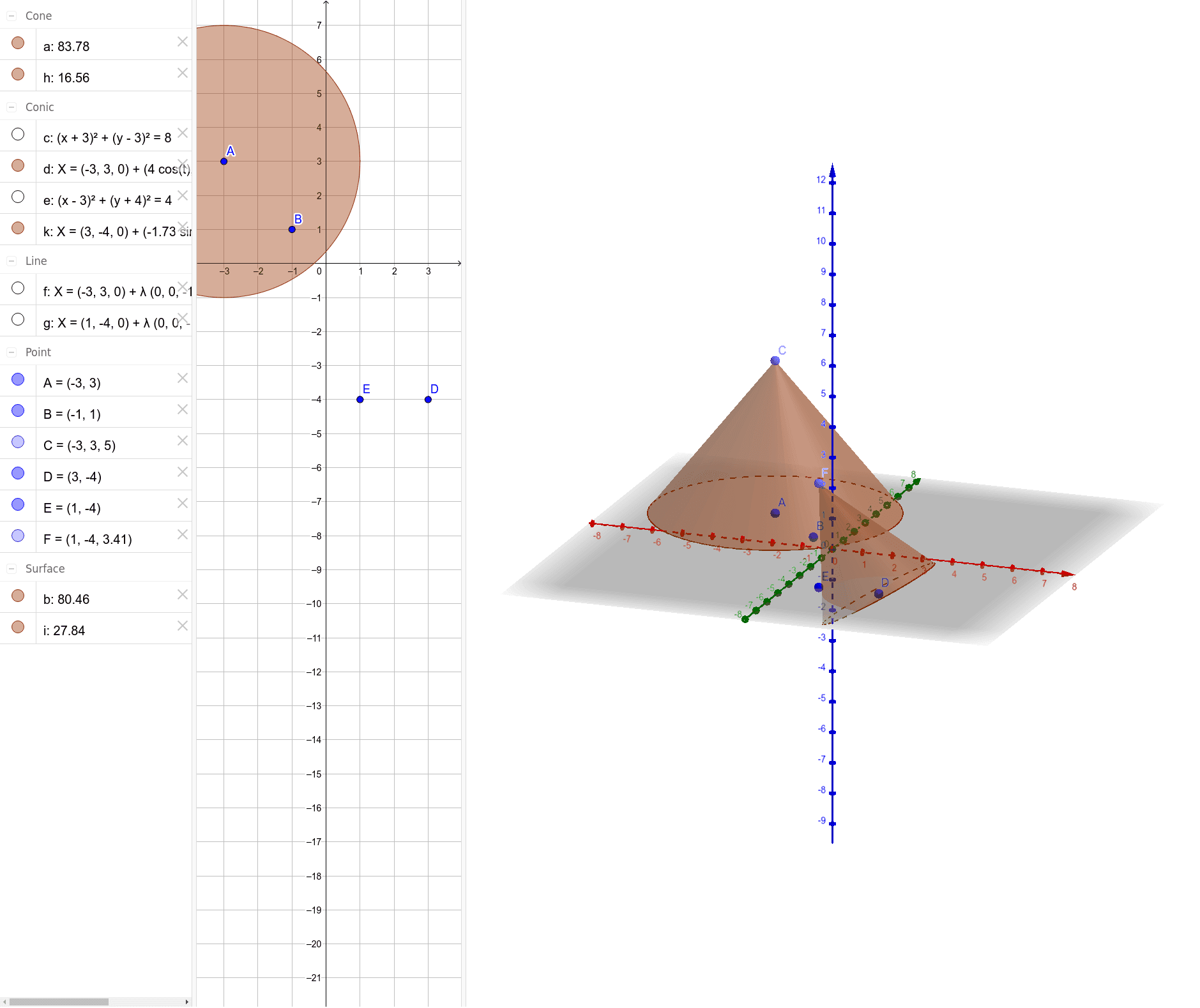
This GeoGebra example dynamically demonstrates the three-dimensional construction of a cone, visually showing the spatial relationships among the apex, the base circle, and the lateral surface. The core mathematical concepts involve solid geometry definitions of a cone, the spatial positioning of circles and points, and geometric construction methods using perpendicular lines and points. Key construction steps include: using the Circle command to draw the base circle, the Point command to define the apex, the OrthogonalLine command to construct the height as a perpendicular line, and finally the Cone command to generate the solid. This example is suitable for high school or early college students learning solid geometry, and can also serve as a classroom demonstration tool for teachers to help students understand the generation principle of a cone and enhance spatial visualization skills.
GeoGebra Commands & Parameters
Circle(A, B) → cOrthogonalLine(A, c) → fPoint(f) → CCone(A, C, 4) → a, d, bCircle(D, E) → eOrthogonalLine(E, e) → gPoint(g) → FCone(D, F, 2) → h, k, i