
Constructing Two Parallel Planes with Intersection Geometry
Loading the math board and drawing, please wait…
In collections
TFM1 Study Day 2: Vectors
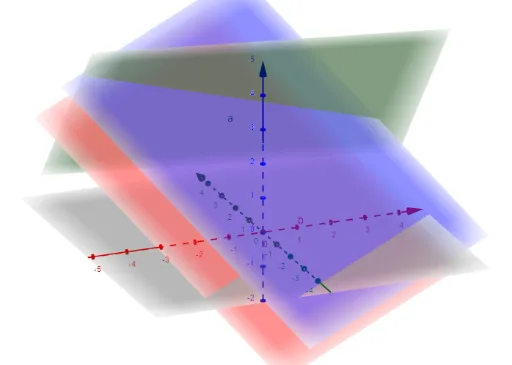
This example demonstrates how to model two parallel planes in 3D space and visualize the resulting intersection-related features (such as intersection points/lines formed with auxiliary paths or objects). The key mathematical ideas include parallel planes in solid geometry, spatial intersection (points/lines arising from constraints), and construction using algebraic computation. In GeoGebra, the construction highlights the use of the Determinant command to compute determinant-based quantities related to the geometric conditions, and the IntersectPath command to obtain intersection results between a path and the involved geometric objects. The process creates and relates multiple core objects listed in the construction summary (M, d, c, b, a, f, g, h). It is suitable for advanced secondary school students and introductory college-level learners, especially for teaching/learning 3D geometry and geometric constructions with interactive visualization.
GeoGebra Commands & Parameters
Determinant(M) → dIntersectPath(a, b) → fIntersectPath(a, c) → gIntersectPath(b, c) → h
AI Drawing Prompt Reference
Construct two parallel planes in 3D space and visualize their intersection-related features, such as intersection points or lines with auxiliary paths or objects. Use a determinant to compute quantities related to geometric conditions and obtain intersection results between paths and involved geometric objects, showcasing the relationships among multiple core objects, suitable for teaching 3D geometry and geometric constructions with interactive visualization.
The prompt above was compiled from the original drawing commands and is for reference only.