
Constructing the Circumcircle from a Triangle
Loading the math board and drawing, please wait…
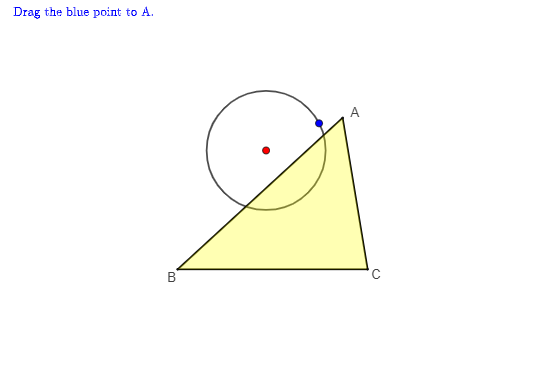
This example demonstrates how to construct the circumcircle determined by a set of triangle vertices by locating its defining center and circle in an interactive GeoGebra construction. It highlights key concepts such as circumcircle (circumscribed circle), the circle determined by three points, and the geometric construction logic that uses intersections to obtain the center reliably (e.g., via perpendicular-bisector–style reasoning). The construction workflow uses GeoGebra commands including Segment (to build reference segments), Polygon (to form the triangle/polygons), Circle (to draw circumcircle and auxiliary circles), Intersect (to compute critical intersection points), and If (to switch between construction cases). Suitable for middle/high school geometry lessons, construction-focused activities, and instruction on turning classical geometric ideas into step-by-step dynamic constructions.
GeoGebra Commands & Parameters
Segment(B, C) → aSegment(A, B) → cSegment(C, A) → bPolygon(A, B, C) → poly1, c_1, a_1, b_1Circle(O, P) → dIntersect(Line[O, c], LineBisector[c]) → O1If(P ≟ A, true, false) → throASegment(O, P) → fSegment(O, B') → gIntersect(Line[O, b], LineBisector[b]) → O2Segment(O, C') → hIf(throA ∧ O ≟ O1, true, false) → throBIf(throA ∧ O ≟ O2, true, false) → throCIntersect(LineBisector[c], LineBisector[b]) → O3
AI Drawing Prompt Reference
Draw a triangle and its three perpendicular bisectors. Find the intersection point of these bisectors, which is the circumcenter. Use this point as the center and the distance from it to any vertex as the radius to draw a circle, which is the circumcircle. Connect the circumcenter to the vertices of the triangle to show the relationship between the circumcircle and the triangle.
The prompt above was compiled from the original drawing commands and is for reference only.