
Constructing Rectangles to Explore Perimeter Maximization
Loading the math board and drawing, please wait…
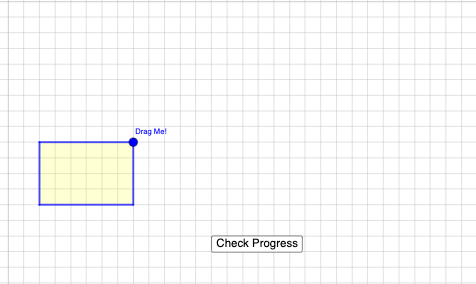
This GeoGebra example demonstrates how rectangles built from coordinate geometry can be varied under constraints to reveal distinctive behavior when maximizing perimeter relative to area (including relationships involving logarithmic functions). The key ideas are rectangle geometry (side lengths, perimeter, area), construction in the coordinate plane, and building mathematical relationships via equations/functions. It further uses interactive exploration (random experiments / parameter sampling) to observe statistical characteristics and infer where maxima occur. Construction highlights include using Intersect to obtain intersection points, PointIn to test whether points lie in the relevant region, Polygon to build the rectangle and auxiliary polygons, Midpoint and Centroid to compute key reference points (midpoints and centers). The scene includes parameters and computed objects (e.g., q1, a, f, b, g, o), together with controls and labels (button1, text1–text6) to support guided exploration. Suitable for high school to early university audiences studying coordinate geometry, function modeling, and introductory optimization.
GeoGebra Commands & Parameters
Intersect(xAxis, yAxis) → APointIn(x ≥ 1 ∧ y ≥ 1) → BPolygon(A, (x(B), 0), B, (0, y(B))) → q1, a, f, b, gMidpoint(g) → CMidpoint(b) → DMidpoint(f) → EMidpoint(a) → FCentroid(q1) → G
AI Drawing Prompt Reference
Draw a rectangle on the coordinate plane starting from the origin. One side lies on the x-axis, and the other on the y-axis. Inside the rectangle, place a point where both x and y are greater than or equal to 1. The rectangle has four vertices: the origin, a point on the x-axis, a point on the y-axis, and the internal point. Calculate the center of the rectangle and the midpoints of each side to illustrate geometric relationships.
The prompt above was compiled from the original drawing commands and is for reference only.