
Constructing Fractional Lengths
Loading the math board and drawing, please wait…
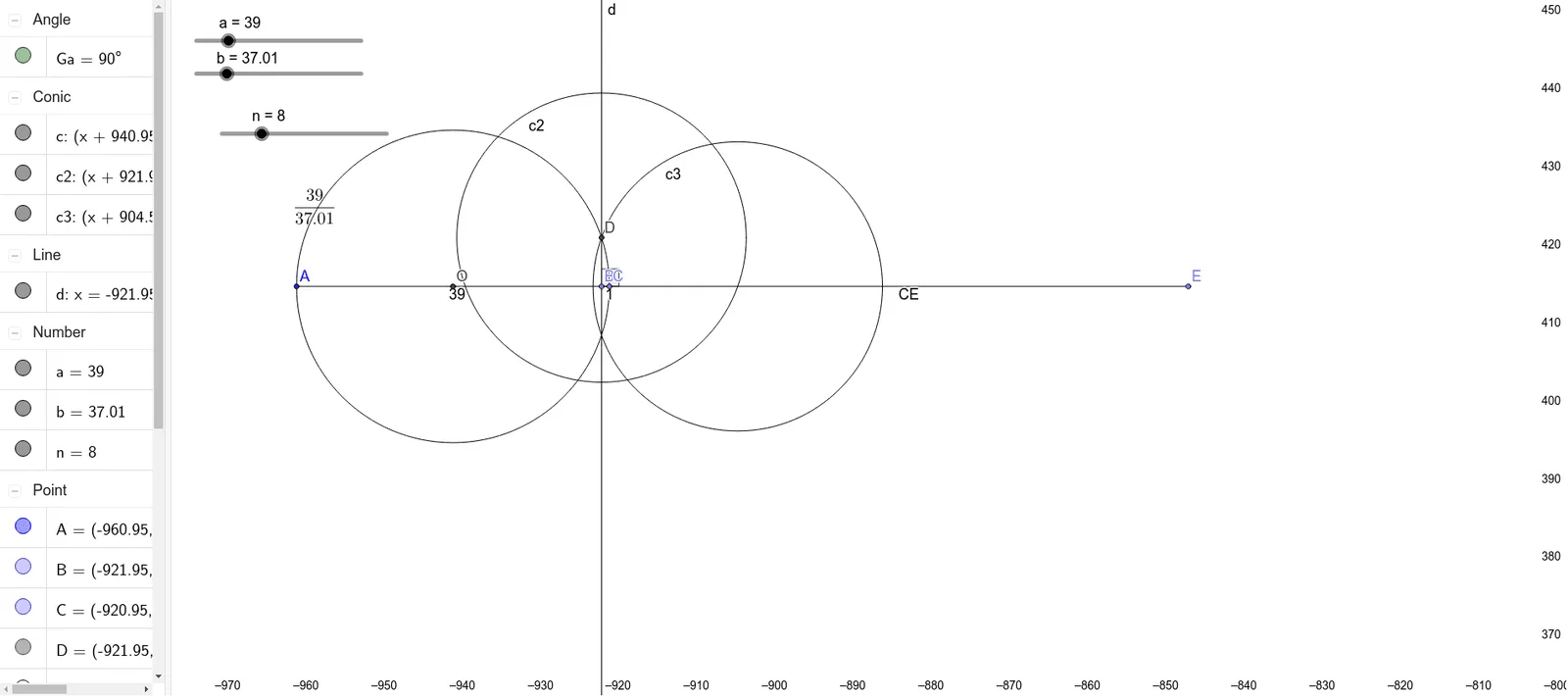
This example demonstrates how to construct any length in the form a/b using only a ruler. It involves the concept of fractions and shows how to understand fractions through geometric construction. Commands used include Point, Segment, Midpoint, Circle, OrthogonalLine, Intersect, and Angle. Suitable for middle school and above students learning fractions and geometric construction.
GeoGebra Commands & Parameters
Point(Circle[A, a]) → BSegment(A, B) → ABPoint(Circle[B, 1]) → CSegment(B, C) → BCMidpoint(A, C) → OCircle(O, Segment[O, C]) → cOrthogonalLine(B, AB) → dIntersect(c, d) → D_1, DAngle(BC, d) → GaPoint(Circle[C, (b * 2)]) → ESegment(C, E) → CECircle(D, b / 2) → c2Intersect(c2, CE) → F,Circle(F, Segment[F, D]) → c3
AI Drawing Prompt Reference
Draw a line segment, then a circle on it, and another circle with a unit radius centered at a point on the first circle. Find the intersection of the line segment and the unit circle, then draw a circle with a specified radius centered at this point. Draw a perpendicular line to the segment, find the intersection points of the two circles, and complete the geometric construction.
The prompt above was compiled from the original drawing commands and is for reference only.