
Constructing an Equilateral Triangle on Three Parallel Lines
Loading the math board and drawing, please wait…
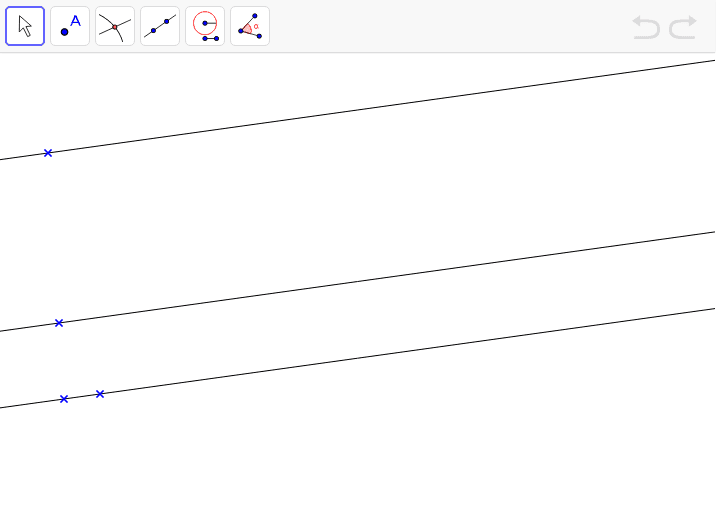
① This example demonstrates how to construct an equilateral triangle whose three vertices lie on three given parallel lines. ② Core mathematical concepts include properties of equilateral triangles, distances between parallel lines, geometric construction, continuity arguments, and combinatorial considerations for assigning vertices to lines. ③ Construction details: Based on the summary, the GeoGebra Line command is used to create lines a, b, and c, with points A, B, C, D defined; by adjusting point positions and exploiting parallel constraints, the configuration satisfying equilateral conditions is found through geometric reasoning. ④ Suitable for high school geometry or college-level geometric construction courses, helping students combine algebraic conditions with geometric construction and explore existence and uniqueness under parallel-line constraints.
GeoGebra Commands & Parameters
Line(A, B) → aLine(D, a) → bLine(C, b) → c
AI Drawing Prompt Reference
Draw a geometric construction showing three parallel lines and an equilateral triangle whose vertices lie one on each line. Start with four given points: use two of them to define the first line, then draw a line through one of the remaining points parallel to the first line, and draw another line through the last point parallel to the second line, producing three mutually parallel lines. Then explore the placement of an equilateral triangle on these lines, allowing the initial points to move while preserving the parallel constraints, so that the triangle’s three vertices can be found on the three lines and its equal-side condition is satisfied.
The prompt above was compiled from the original drawing commands and is for reference only.