
Constructing a Prism: From Points and Lines to Solid Geometry
Loading the math board and drawing, please wait…
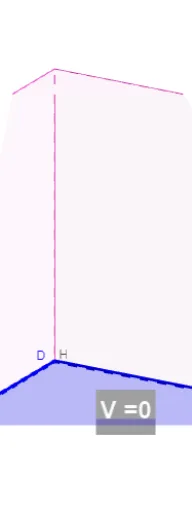
This GeoGebra example demonstrates how to construct a complete prism step by step using geometric construction tools, starting from points, lines, and polygons, and finally generating the solid with its faces and edges clearly labeled. The core mathematical concepts involve solid geometry: the definition of a prism, its vertices, edges, faces, parallel and perpendicular relationships, as well as the use of linear equations and function graphs as auxiliary aids. The construction uses commands such as Line, OrthogonalLine, Point, Intersect, Polygon, Prism, and Segment. Key objects include base points A, B, C, D, vertical lines and segments (e.g., edgeAE, edgeBF, edgeCG, edgeDH), and face polygons (faceABFE, faceBCGF, faceCDHG, faceADHE, faceEFGH). This example is suitable for high school or early college students learning solid geometry, helping them understand how a prism is generated, how spatial elements are named and related, and serving as a visual teaching aid for teachers demonstrating 3D construction.
GeoGebra Commands & Parameters
Line(A, B) → fOrthogonalLine(B, f) → gOrthogonalLine(A, g) → h_1Point(g) → COrthogonalLine(C, g) → iOrthogonalLine(B, h_1) → jOrthogonalLine(A, i) → kIntersect(i, k) → DPolygon(A, B, C, D) → q1, a, b, c, dPrism(q1, h) → e, E, edgeAE, edgeBF, edgeCG, edgeDH, edgeEF, edgeFG, edgeGH, edgeEH, F, G, H, faceABFE, faceBCGF, faceCDHG, faceADHE, faceEFGHPolygon(D, C, B, A) → q2, d_1, c_1, b_1, a_1Prism(q2, 5) → l, I, edgeDI, edgeCJ, edgeBK, edgeAL, edgeIJ, edgeJK, edgeKL, edgeIL, J, K, L, faceCDIJ, faceBCJK, faceABKL, faceADIL, faceIJKLSegment(E, G) → mSegment(H, F) → nIntersect(m, n) → M
AI Drawing Prompt Reference
Draw a prism by constructing its base and top faces from points. Start with two parallel lines for the base, then draw two more parallel lines perpendicular to the first two to form the top face. Connect the corresponding vertices to create four side faces. Label all vertices, edges, and faces, and use auxiliary lines to show perpendicular and parallel relationships. Finally, connect the base and top faces to form the complete prism.
The prompt above was compiled from the original drawing commands and is for reference only.