
Construct Triangles with Given Properties
Loading the math board and drawing, please wait…
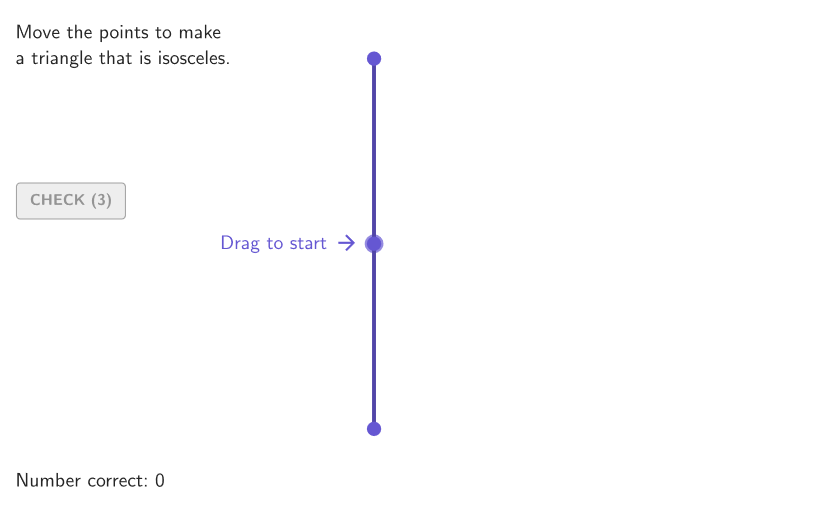
This example demonstrates how to construct different types of triangles based on given properties, including obtuse, acute, right, scalene, and isosceles triangles. Key mathematical concepts include classifying triangles by their interior angles and side lengths. GeoGebra commands such as Join, Point, Angle, and Polygon are used in the construction. Suitable for 4-5 grade students to learn about triangle classification and identification.
GeoGebra Commands & Parameters
Join(Sequence[Sequence[(j, k), j, -5, 5, 1], k, -5, 5, 1]) → bigGridPoint(bigGrid) → CPoint(bigGrid) → BPoint(bigGrid) → AAngle(C, A, B) → angBACAngle(B, C, A) → angCABAngle(A, B, C) → angABCShuffle(Sequence[15]) → randomList2, {3, 11, 6, 2, 15, 12, 4, 14, 1, 9, 13, 7, 8, 10, 5}Element(randomList2, Mod[countQuestion, 15] + 1) → randomNum2Shuffle({1, 2, 3, 4, 5}) → allCases, {5, 4, 2, 3, 1}Element(allCases, Mod[countQuestion, Length[allCases]] + 1) → caseNumIf(caseNum ≟ 1, "an obtuse", caseNum ≟ 2, "an acute", caseNum ≟ 3, "a right", caseNum ≟ 4, "a scalene", "an isosceles") → textTriangTypeShuffle({"obtuse", "acute", "right", "scalene", "isosceles"}) → allTriangTypes, {"obtuse", "isosceles", "right", "acute", "scalene"}Textfield(input1) → InputBox1Textfield(input2) → InputBox2If(caseNum ≟ 1, correct1, caseNum ≟ 2, correct2, caseNum ≟ 3, correct3, caseNum ≟ 4, correct4, correct5) → correctPolygon(Zip[PixelsToPoint[Corner[1], Corner[3], Corner[5], A], A, {(pixelsLeft, pixelsTop), (pixelsLeft, y(Corner[5]) - pixelsBottom), Corner[5] - (pixelsRight, pixelsBottom), (x(Corner[5]) - pixelsRight, pixelsTop)}]) → borderBoxCorner(5) → layoutAppSizeSegment(A_{1}, B_{1}) → displaySegmentcirclePixels(B, 7 + (7 * pulsing), Corner[1], Corner[3], Corner[5]) → pulsingObjectonboardingTextOffset(Corner[onboardingText, 1], Corner[onboardingText, 3], onboardingCase, Corner[1], Corner[3], Corner[5]) → OnboardingTextOffsetElement({If[layoutX ≟ 16, layoutX - 5, 11], layoutX - 5}, layoutCase) → layoutHintSolnXPolygon(B, C, A) → t1, sideBC, sideAC, sideABSegment(A, B) → sideABdecoSegment(A, C) → sideACdecoSegment(B, C) → sideBCdecoPolygon(D, E, F) → obtTri, f, d, ePolygon(E, F, G) → acuTri, g, e_1, f_1Polygon(H, E, F) → rightTri, f_2, h, e_2Polygon(E, F, I) → isoTri, i, e_3, f_3Polygon(E, F, J) → scalTri, j, e_4, f_4Angle(F, E, H) → rightSolAngle(G, F, E) → acu1SolAngle(E, G, F) → acu2SolAngle(F, E, G) → acu3SolAngle(F, E, D) → obtSol
AI Drawing Prompt Reference
Place three random points on a coordinate grid and connect them to form a triangle, displaying all three interior angles. Based on a random selection, ask the user to identify whether the triangle is obtuse, acute, right, scalene, or isosceles. Additionally, show five example triangles beside the grid: one obtuse, one acute, one right, one isosceles, and one scalene, each with key angles labeled. The user enters their answer in an input box, and the system provides feedback on correctness.
The prompt above was compiled from the original drawing commands and is for reference only.