
Constant Perimeter... Changing Area?
Loading the math board and drawing, please wait…
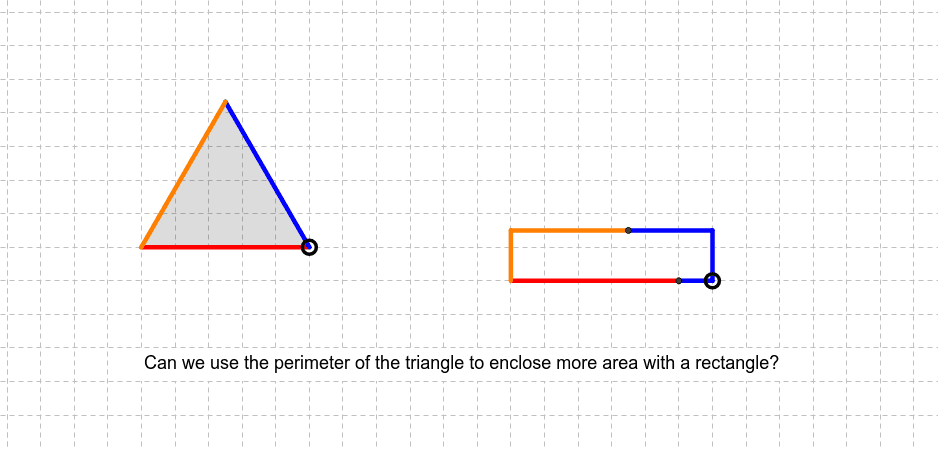
This example demonstrates how the area of a polygon changes while maintaining a constant perimeter. Key math concepts include perimeter, area, polygons, and optimization. It is constructed using GeoGebra commands like Polygon, Area, Circle, Point, Segment, OrthogonalLine, Intersect, Perimeter, Distance, If. Suitable for high school mathematics education to understand area maximization under fixed perimeter conditions.
GeoGebra Commands & Parameters
Polygon(A, B, 3) → poly1, a, b, c, CArea(poly1) → areaTCircle(D, perim / 2) → dPoint(d) → ESegment(D, E) → ePoint(e) → FOrthogonalLine(F, e) → f_1OrthogonalLine(D, e) → gCircle(F, E) → hIntersect(h, f_1, 2) → GOrthogonalLine(G, f_1) → iIntersect(g, i) → HPolygon(D, F, G, H) → poly2, d_1, f, g_1, f_2Perimeter(poly2) → kCircle(D, perim / 3) → pIntersect(p, d_1, 1) → ISegment(D, I) → a_1Segment(I, F) → b_1Segment(F, G) → b_2Segment(D, F) → lIntersect(r, xAxis, 2) → KDistance(I, K) → nCircle(F, a - l) → sOrthogonalLine(F, xAxis) → tIntersect(s, t) → L, MSegment(F, M) → e_1Segment(H_2, D) → c_2If(poly2 > poly1, 1, 0) → qSegment(H_2, H) → c_1Segment(M, G) → h_1Circle(H, c - c_2) → k_1Intersect(k_1, i) → J, NSegment(H, J) → i_1Segment(J, G) → j_1