
Connectivity Table
Loading the math board and drawing, please wait…
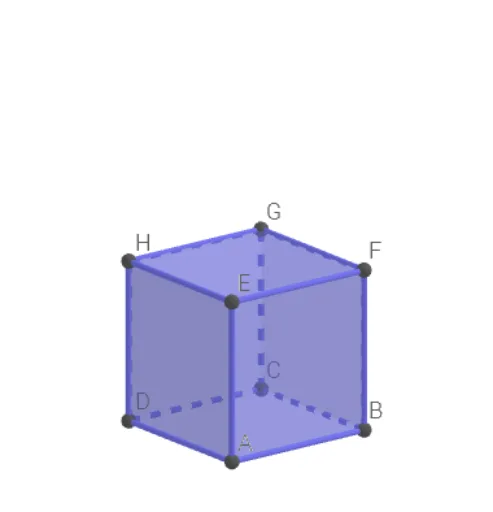
This example demonstrates the process of constructing geometric figures through a connectivity table. It involves core mathematical concepts such as geometric construction, solid geometry, and coordinate geometry. Key GeoGebra commands used include Circle, Intersect, Rotate, Cube, and TableText. Suitable for high school and above students to learn and understand geometric constructions and spatial relationships.
GeoGebra Commands & Parameters
Circle(O, 1, xOyPlane) → cIntersect(yAxis, c, 2) → ARotate(A, 90°) → BCube(A, B, zAxis) → a, C, zijvlakBCGF, zijvlakCDHG, zijvlakEFGH, RibbeAD, RibbeAB, RibbeBC, RibbeCD, RibbeAE, RibbeDH, RibbeEH, D, RibbeEF, RibbeBF, RibbeFG, RibbeCG, RibbeGH, E, F, G, H, zijvlakABCD, zijvlakADHE, zijvlakABFETableText({{"A", "B", "C", "D", "E", "F", "G", "H"}}) → tekst2TableText({{"A"}, {"B"}, {"C"}, {"D"}, {"E"}, {"F"}, {"G"}, {"H"}}) → tekst3
AI Drawing Prompt Reference
Draw a circle with radius 1 on a plane, find its intersection with the y-axis, rotate this point 90 degrees around the y-axis to get another point, then construct a cube using these two points and the z-axis as references, and label each vertex of the cube with its name, also display a list of all vertices in a text box.
The prompt above was compiled from the original drawing commands and is for reference only.