
Conics through 5 random points in a circle
Loading the math board and drawing, please wait…
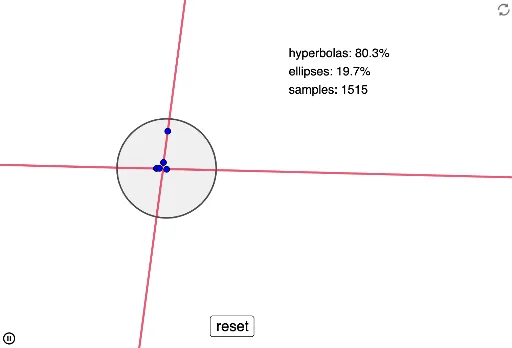
This GeoGebra example demonstrates that five random points inside a circle uniquely determine a conic section (a quadratic curve). It visually shows the fundamental theorem that any five points in general position (no three collinear) define a unique conic. The core mathematical concepts include conic sections, the five-point determination theorem, random point generation, and counting statistics. Construction details: the Circle command creates the base circle, RandomPointIn generates five random interior points A, B, C, D, E, the Conic command constructs the conic through these points, CountIf and Length are used to count qualifying points, a button (button1) triggers random regeneration, and a text object (text1) displays results. This is suitable for high school or college analytic geometry, dynamic geometry demonstrations, and exploratory activities combining probability with geometric constructions.
GeoGebra Commands & Parameters
Circle((0, 0), 1) → cRandomPointIn(c) → ARandomPointIn(c) → BRandomPointIn(c) → CRandomPointIn(c) → DRandomPointIn(c) → EConic(A, B, C, D, E) → dCountIf(x > 1, data) → bCountIf(x < 1, data) → eLength(data) → f
AI Drawing Prompt Reference
Draw a unit circle centered at the origin. Randomly place five distinct points inside the circle, ensuring no three are collinear. Construct a smooth conic section (a quadratic curve) that passes exactly through all five points. The curve should be uniquely determined by these points. Mark the five points with distinct colors and draw the conic in a contrasting color. Display the counts of points inside and outside the circle, as well as the total number of points. Include a button that, when clicked, regenerates the five random points and updates the curve and statistics accordingly.
The prompt above was compiled from the original drawing commands and is for reference only.