
Conic Sections from a Double Light Cone with Dandelin Focal Spheres
Loading the math board and drawing, please wait…
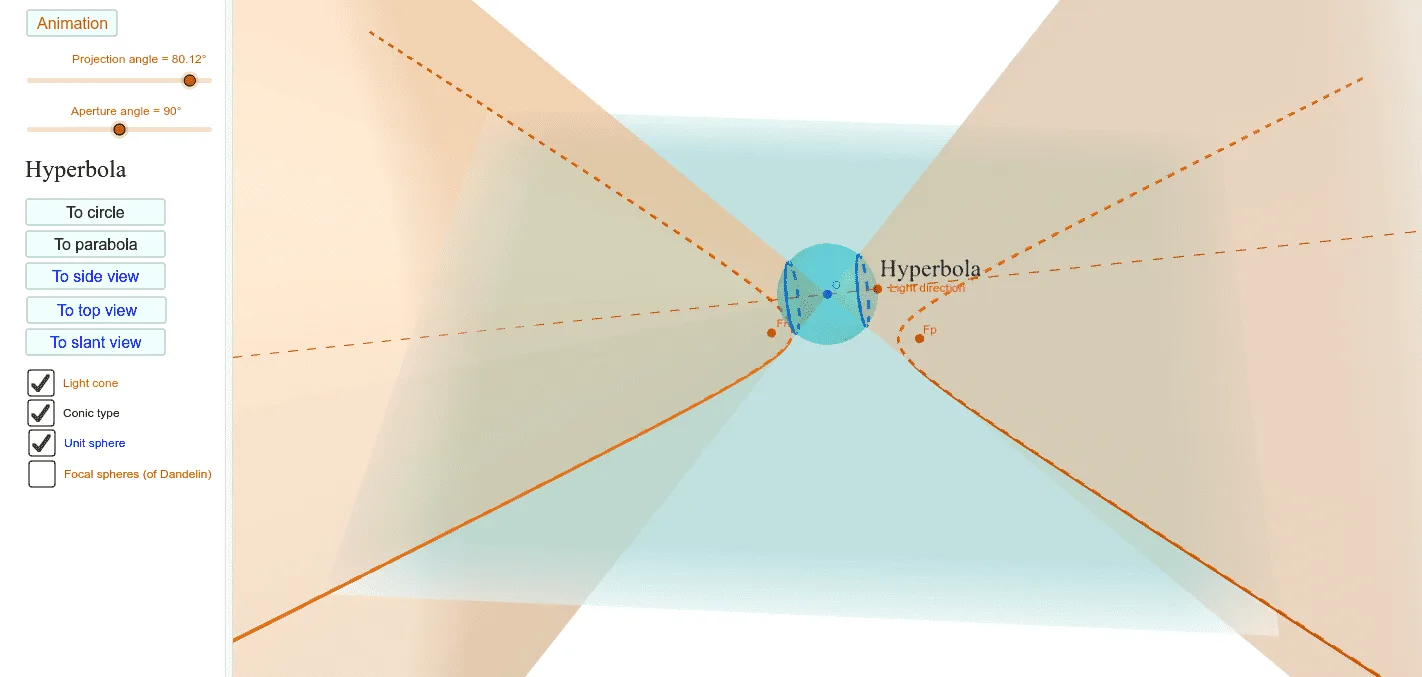
This GeoGebra example demonstrates how conic sections (ellipse, hyperbola, parabola) are generated by intersecting a double light cone with a plane, enhanced by Dandelin focal spheres. The core mathematical concepts include conic sections, Dandelin spheres theorem, and spatial geometry of plane-cone intersections. The construction uses commands such as Plane, Circle, Point, Rotate, Intersect, AngularBisector, Line, ConeInfinite, Sphere, IntersectPath, and If, along with objects like αAperture, projectivePlane, gimbalRing, lightCone, focal spheres, and touch circles. A slider controls the cone aperture angle, dynamically updating the conic type. Suitable for high school and undergraduate students to visualize the unified geometric origin of conics, and for teachers to use in classroom demonstrations or student exploration.
GeoGebra Commands & Parameters
Plane((0, 0, -1), (1, 0, -1), (0, 1, -1)) → projectivePlaneCircle((1, 0, 0), (0, 0, 1), (-1, 0, 0)) → gimbalRingPoint(gimbalRing) → PRotate(P, (-(αAperture / 2)), yAxis) → PnIntersect(Line[Pn, O], projectivePlane) → VMnAngularBisector(VMn + Vector[((x(VMn) * x(Pn)), 0, 0)], VMn, Pn) → bisectNLine(O, P) → lightLineIntersect(bisectN, lightLine) → OnRotate(P, αAperture / 2, yAxis) → PpIntersect(Line[Pp, O], projectivePlane) → VMpAngularBisector(VMp + Vector[((x(VMp) * x(Pp)), 0, 0)], VMp, Pp) → bisectPIntersect(bisectP, lightLine) → OpIntersect(lightLine, projectivePlane) → F_{0}ConeInfinite(O, Vector[(0, 0, 1)], pi / 2) → fSphere(O, 1) → unitSphereConeInfinite(O, Vector[P], αAperture / 2) → lightConeIntersectPath(projectivePlane, lightCone) → conicsIf(αLight ≟ 0, "Circle", If[α < 90°, "Ellipse", If[α ≟ 90°, "Parabola", If[αLight ≟ 90° ∧ αAperture ≟ 90°, "Rectangular Hyperbola", "Hyperbola"]]]) → txtConicTypePoint(O, Vector[(P * cos(αAperture / 2))]) → PcosSphere(Op, Fp) → FpSpherePoint(O, Vector[(Vector[Pp] * dP)]) → FpTouchCircle(lightLine, FpTouch) → FpTouchCircleSphere(On, Fn) → FnSpherePoint(O, Vector[(Vector[Pn] * dN)]) → FnTouchCircle(lightLine, FnTouch) → FnTouchCircle
AI Drawing Prompt Reference
This is a conic section generated by intersecting a double light cone with a plane, enhanced by Dandelin focal spheres. The key objects include the double cone, focal spheres, contact circles, and the projection plane. The construction order is: first establish the double cone and projection plane, then introduce focal spheres, next obtain conic sections by intersecting the plane with the cone, and finally verify the tangency of contact circles using focal spheres. The conic type can be dynamically adjusted to ellipse, hyperbola, or parabola, suitable for geometric teaching and exploration.
The prompt above was compiled from the original drawing commands and is for reference only.