
Congruent vs. Similar: A Rotation-Based Comparison
Loading the math board and drawing, please wait…
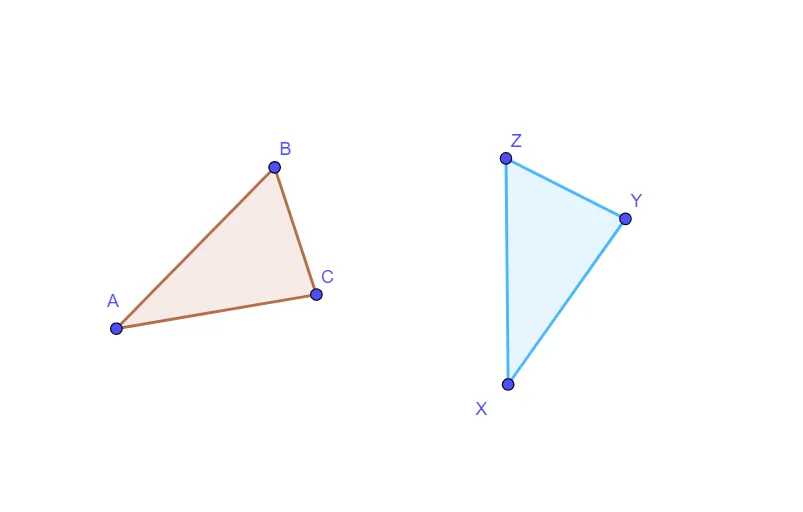
This GeoGebra example demonstrates the difference between congruent and similar triangles through a rotation transformation. The core mathematical concepts are congruence (equal corresponding sides and angles) and similarity (equal angles and proportional sides). Construction highlights: using the Polygon command to create triangle ABC, then applying the Rotate command to generate triangle A'B'C', while retaining original objects (sides a, b, c and rotated a', b', c') for comparison. By observing the rotated image, students see that rotation preserves both shape and size, making the triangles congruent—a special case of similarity with scale factor 1. This is ideal for middle school geometry lessons to clarify the distinction between congruence and similarity, and to reinforce the properties of rigid transformations.
GeoGebra Commands & Parameters
Polygon(A, B, C) → t1, c, a, bRotate(A, 45°, D) → XRotate(B, 45°, D) → ZRotate(C, 45°, D) → YPolygon(X, Z, Y) → t1', c', a', b'
AI Drawing Prompt Reference
Draw two triangles where one is obtained by rotating the other 45 degrees, demonstrating how rotation preserves shape and size, thus showing the two triangles are congruent—a special case of similarity with a scale factor of 1. Keep the original three sides and the rotated three sides visible for comparison, emphasizing the difference between congruence and similarity, ideal for middle school geometry lessons.
The prompt above was compiled from the original drawing commands and is for reference only.