
Cone Volume & Surface Area Practice
Loading the math board and drawing, please wait…
In collections
Geo&Alg:Area Volume Pythagorean Th.
CCSS G-GMD Geometric Measurement and Dimension
Math Scored Practice
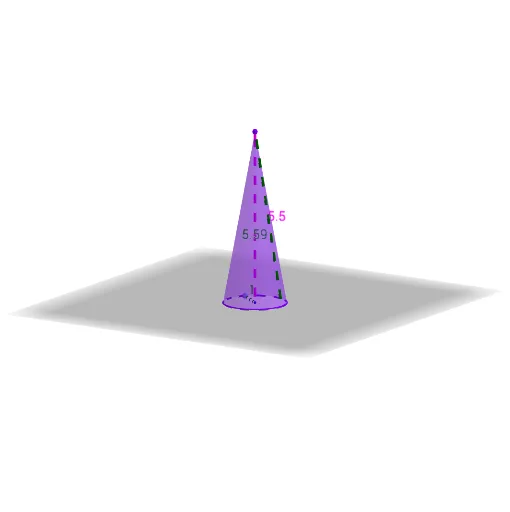
This example demonstrates the calculation and visualization of cone volume and surface area. It involves core math concepts like the volume and surface area formulas of cones, and geometric constructions using commands such as Segment, Circle, Point, Textfield, Cone, Text in GeoGebra. Suitable for high school students or math enthusiasts for practice and understanding geometric calculations.
GeoGebra Commands & Parameters
Segment(B, D) → gCircle(C, radius, xOyPlane) → cPoint(c) → ASegment(C, A) → fTextfield(ViewSol) → CodeCone(c, height) → a, d, bSegment(C, D) → hText(g) → text3Text(radius) → text5Text(height) → text6Text(ScoreV) → text9Text(ScoreV) → text12Text(try) → text13Text(pTSA) → text1Text(pV) → text2
AI Drawing Prompt Reference
Draw a cone with a base circle and a height, showing the formulas for its volume and surface area. Connect the center of the base to the apex with a line segment, and label the radius of the base and the height. Display the formulas for volume and surface area below the cone, with calculated results. Use a slider to adjust the size of the cone, dynamically showing changes in the formulas and results.
The prompt above was compiled from the original drawing commands and is for reference only.