
Cone Volume and Surface Area
Loading the math board and drawing, please wait…
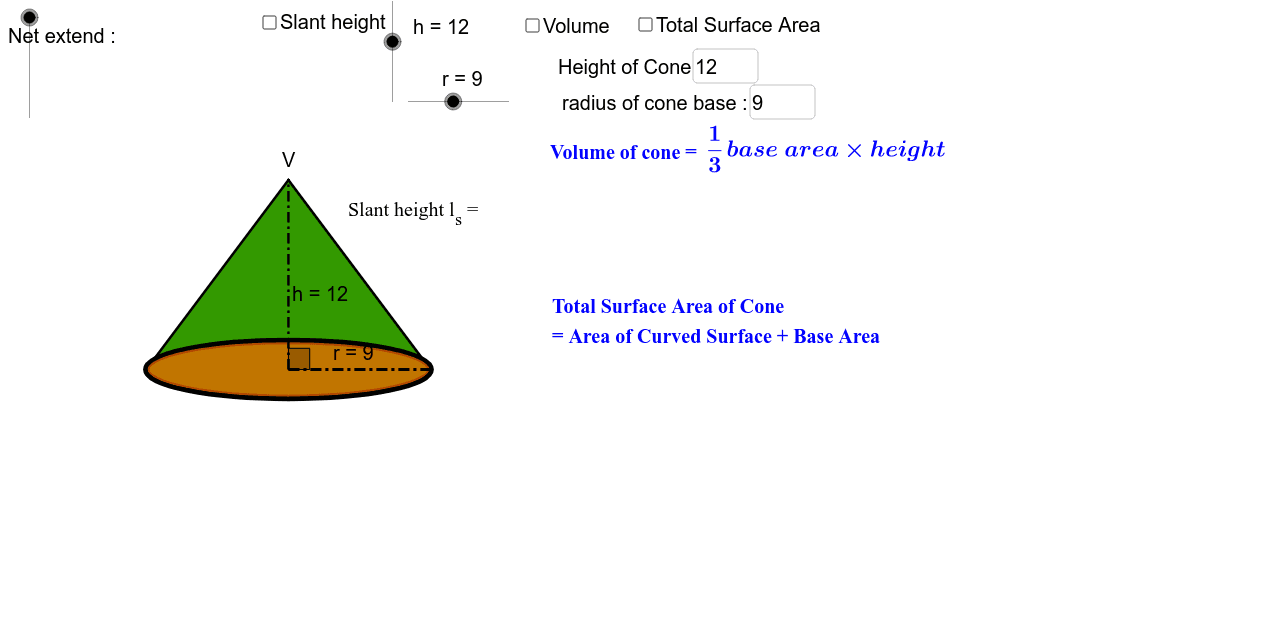
This example demonstrates the calculation of cone volume and surface area, helping students review formulas and see the net of a cone. Key math concepts include volume formulas, surface area formulas, pi, geometric transformations, etc. GeoGebra commands and objects like If, Conic, Segment, Midpoint, Point, Distance, Rotate, CircleSector, Polygon, Intersect, Arc, Circumference, Angle, CircumcircleArc, Textfield are used in construction. Suitable for high school students to reinforce solid geometry knowledge and understand formula derivation and practical applications.
GeoGebra Commands & Parameters
If(net < -1, (-net - 1) * 3, 0) → net_θIf(net < -1, 3 * (-net - 1) + 0.2, 0.2) → net_bIf(net < -1, -1, net) → net_eIf(net_e > -0.0010, 0, -net_e) → net_hConic(A, B, C, D, E) → cIf(net > 0, 1, 0) → net_1Conic(A, B, C, D, E) → dSegment(V, A') → bSegment(V, F') → eMidpoint(A', F') → M_{A'F'}Point(c) → GConic(A', B', C', F', E') → kConic(A', B', C', F', E') → pDistance(O, V) → distanceOVSegment(O_c, O_u) → lRotate(O_o, θ * 2, V) → HRotate(O_o, -θ * 2, V) → H'CircleSector(V, H', H) → qPolygon(V, A', F') → poly1, f', v, aDistance(V, H') → distanceVH'Segment(V, H) → b'Segment(V, H') → e'Intersect(p, b') → K, K_2Intersect(p, e') → J, J_2Segment(V, J_2) → gSegment(V, K_2) → iArc(p, A', K_2) → tArc(p, J_2, F') → fIf(θ + 0.6 * θ_d < 2 * π * r / l_s * 0.5, θ + 0.6 * θ_d, 2 * π * r / l_s * 0.5) → θ_cRotate(O_o, θ_c, V) → H_1Rotate(O_o, -θ_c, V) → H'_1CircleSector(V, H'_1, H_1) → c_2Circumference(c_2) → jCircumference(c) → circumferencecDistance(V, H'_1) → distanceVH'1Angle(H'_1, V, H_1) → αPoint(c_2) → ICircumcircleArc(H', O_o, H) → c_1CircleSector(V, H'_1, H_1) → sSegment(M_{A'F'}, F') → mSegment(M_{A'F'}, V) → nAngle(F', M_{A'F'}, V) → βMidpoint(b) → M_{VA'}Textfield(r) → inputBox1Textfield(h) → inputBox2
AI Drawing Prompt Reference
Draw a cone with its net, showing the calculation of volume and surface area. The base and side of the cone unfold into a sector and a triangle, with key points, lines, and angles labeled. Use a slider to adjust the cone's height and base radius, dynamically displaying calculations and formulas. Start by drawing the 3D cone and its net, add auxiliary lines and labels, then incorporate sliders and text boxes for formulas and calculations.
The prompt above was compiled from the original drawing commands and is for reference only.