
Cone & Cylinder by Revolution
Loading the math board and drawing, please wait…
In collections
Cross sections
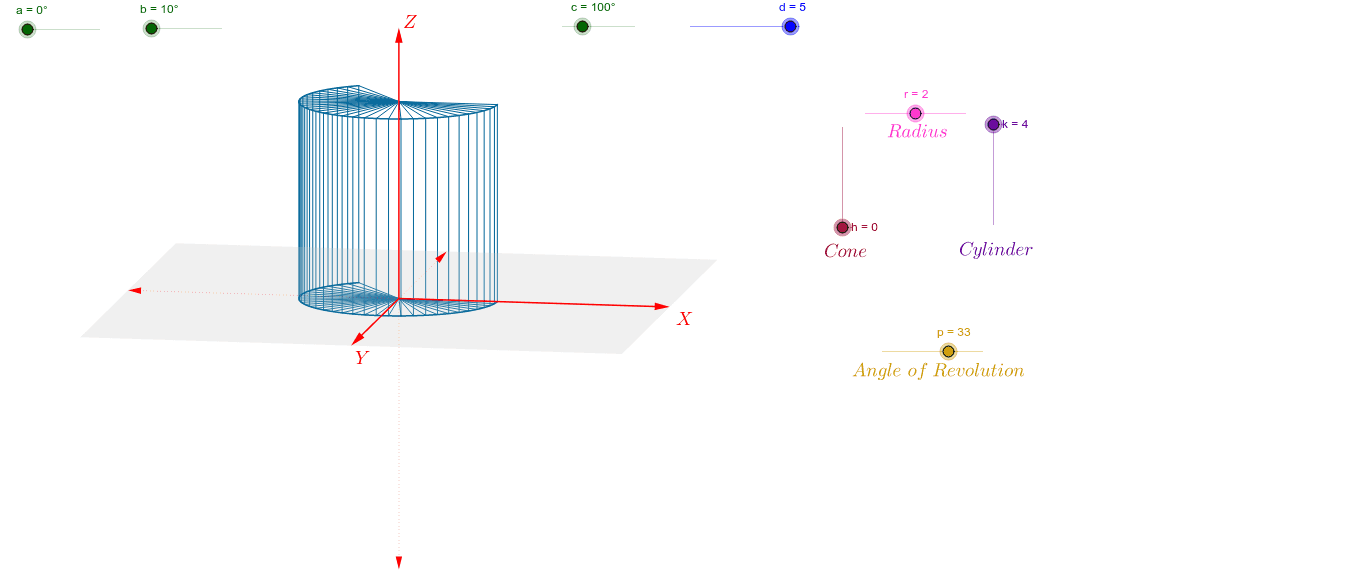
This GeoGebra example demonstrates how rotating plane figures (such as triangles and rectangles) around an axis generates solids of revolution like cones and cylinders. It covers core concepts in solid geometry, parametric curves, and spatial vectors. The construction uses commands such as Vector, Polygon, Sequence, and CurveCartesian to define the axis, outline polygons, and simulate the rotational sweep via parametric curves. Multiple sliders (h, R, a, etc.) control height, radius, and rotation angle, allowing dynamic exploration. Suitable for high school or early college students learning about solids of revolution, and serves as a visual foundation for volume integration in calculus.
GeoGebra Commands & Parameters
Vector(1.1 * d * W_x) → uVector(1.1 * d * W_y) → vVector(1.1 * d * W_z) → wPolygon(1.1 * d * (W_x + W_y), 1.1 * d * (-W_x + W_y), 1.1 * d * (-W_x - W_y), 1.1 * d * (W_x - W_y)) → poly1, g, i, j, lSequence(r * cos(0.125 * i) * W_x + r * sin(0.125 * i) * W_y, i, 0, p) → list1Sequence(r * cos(0.125 * i) * W_x + r * sin(0.125 * i) * W_y + k * W_z, i, 0, p) → list3CurveCartesian(x(r * cos(0.125 * i) * W_x + r * sin(0.125 * i) * W_y), y(r * cos(0.125 * i) * W_x + r * sin(0.125 * i) * W_y), i, 0, p) → e_1CurveCartesian(x(r * cos(0.125 * t) * W_x + r * sin(0.125 * t) * W_y + k * W_z), y(r * cos(0.125 * t) * W_x + r * sin(0.125 * t) * W_y + k * W_z), t, 0, p) → e_2Sequence(Segment[A, Element[list1, i]], i, 1, p + 1) → list2Sequence(Segment[Element[list1, i], Element[list3, i]], i, 1, p + 1) → list4Sequence(Segment[(0, 0) + k * W_z, Element[list3, i]], i, 1, p + 1) → list5
AI Drawing Prompt Reference
Draw a cylinder generated by rotating a rectangle and a cone generated by rotating a right triangle around the z-axis. First, create a right triangle and a rectangle, then rotate them. Use parametric curves to simulate the rotation process, and adjust the height, radius, and rotation angle using sliders.
The prompt above was compiled from the original drawing commands and is for reference only.