
Concaved Lens Ray Diagram
Loading the math board and drawing, please wait…
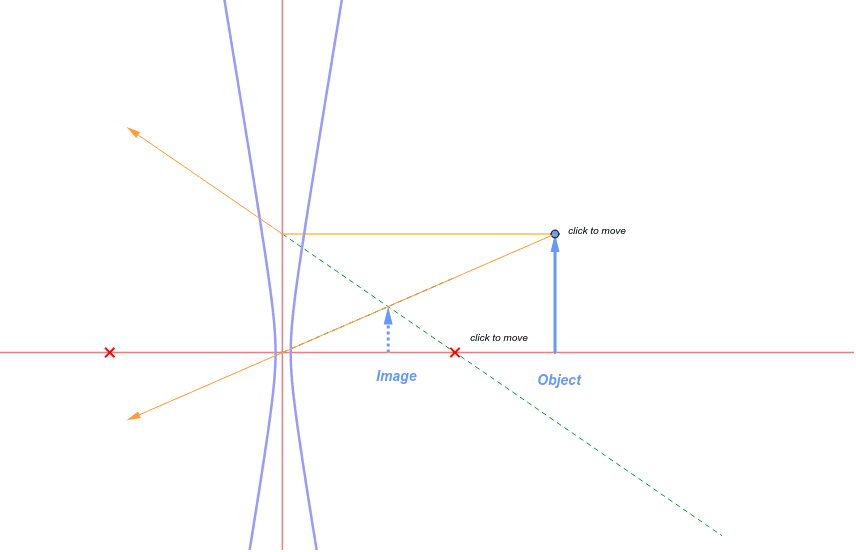
This example demonstrates the ray diagram for a concaved lens. Key mathematical concepts include the refraction and divergence of light. Using GeoGebra commands such as OrthogonalLine, Intersect, Point, etc., the ray diagram for a concaved lens can be constructed. Suitable for high school physics and mathematics education.
GeoGebra Commands & Parameters
OrthogonalLine(A, yAxis) → bIntersect(b, yAxis) → BPoint(a) → CLine(B, C) → cPoint(a) → ERay(A, E) → dOrthogonalLine(A, xAxis) → eIntersect(a, e) → GIntersect(c, d) → HOrthogonalLine(H, xAxis) → fIntersect(a, f) → IVector(I, H) → zVector(G, A) → gPoint(c) → JSegment(B, J) → hPoint(d) → KSegment(E, K) → iMirror(C, j) → C'Segment(A, B) → uPoint(a) → LPoint(a) → MHyperbola(L, M, N) → kIntersect(l, c) → OIntersect(d, l) → PVector(B, O) → vVector(A, P) → w
AI Drawing Prompt Reference
Draw a ray diagram for a concave lens, showing light refraction and divergence. Start by drawing a line perpendicular to the x-axis, then find its intersection with the y-axis. From this intersection, draw a straight line. Next, draw a ray from the origin and find its intersection with a line perpendicular to the x-axis. The intersection of the ray and the straight line gives a point. From this point, draw a perpendicular line to the x-axis, meeting the origin. Finally, draw vectors from the point to the origin and from the point to the intersection with the y-axis, completing the ray diagram.
The prompt above was compiled from the original drawing commands and is for reference only.