
Computer constructions of a regular tetrahedron
Loading the math board and drawing, please wait…
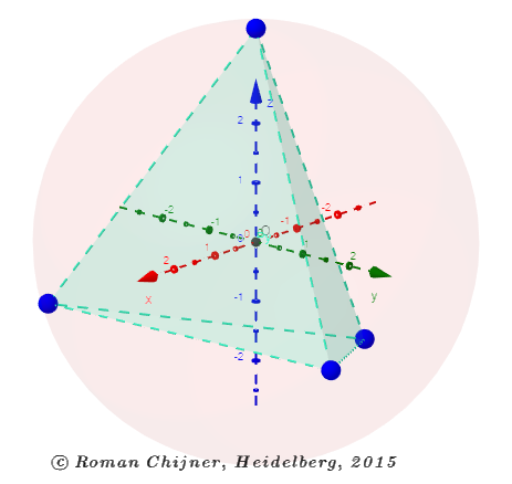
This example demonstrates how to construct a regular tetrahedron using computer tools, where the vertices are defined based on the maximum sum of mutual distances among the polyhedron vertices. The core mathematical concepts involved include solid geometry, coordinate geometry, quadratic equations, and sphere intersections. Key GeoGebra commands and objects used in the construction, as listed in the summary, are Intersect, Sphere, Sequence, Join, Sum, Pyramid, and Volume. It is suitable for high school students and teachers for learning and teaching purposes in solid geometry and coordinate geometry.
GeoGebra Commands & Parameters
Intersect(xAxis, yAxis) → OSphere(O, R) → aSequence((((R * cos(Element[α, i])) * sin(Element[β, i])), ((R * sin(Element[α, i])) * sin(Element[β, i])), (R * cos(Element[β, i]))), i, 1, n) → A00Join(Sequence[Sequence[Distance[Element[A00, i], Element[A00, j]], j, i + 1, n], i, 1, n - 1]) → laSum(la) → pPyramid(Element[A00, 1], Element[A00, 2], Element[A00, 3], Element[A00, 4]) → Py, face5, edge12, face6, face8, face7, edge7, edge10, edge8, edge9, edge11Volume(Py) → V
AI Drawing Prompt Reference
Draw a regular tetrahedron. The four vertices should lie on a sphere and maximize mutual distances. The tetrahedron consists of four equilateral triangle faces. The construction order is to first determine the sphere center, then generate the four vertices, and finally connect them to form the tetrahedron.
The prompt above was compiled from the original drawing commands and is for reference only.