
Computer Construction of Polyhedra
Loading the math board and drawing, please wait…
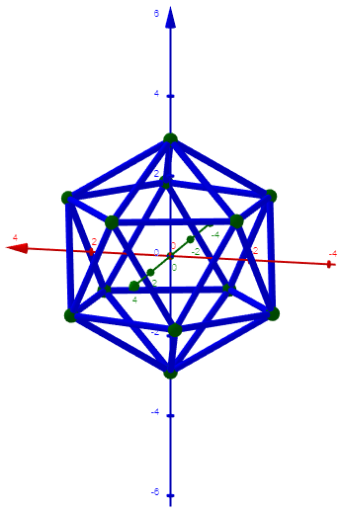
This example demonstrates how to construct polyhedra using computer software. It involves key concepts in solid geometry, such as the methods of constructing polyhedra. Using GeoGebra commands like Sum, If, Sequence, etc., the faces and edges of polyhedra can be created. Suitable for high school students and teachers for teaching or self-study.
GeoGebra Commands & Parameters
Sum(Join[Sequence[Sequence[sqrt((Element[Element[A00, i], 1] - Element[Element[A00, j], 1])^(2) + (Element[Element[A00, i], 2] - Element[Element[A00, j], 2])^(2) + (Element[Element[A00, i], 3] - Element[Element[A00, j], 3])^(2)), j, i + 1, n], i, 1, n - 1]]) → ppIf(bu, "Pause", "Play") → captionTextfield(h) → inputBox1Textfield(n) → inputBox2Textfield(ε) → inputBox3If(dd < ε, 0, 1) → bu2Sequence((2 * Element[pumfang0, i] / (((i + 3) * (i + 2)))), i, 1, Length[pumfang0]) → pumfang1TableText({Join[{{"n"}, Sequence[i, i, 4, Length[pumfang0] + 3]}], Join[{{"P_n"}, pumfang0}], Join[{{" p_n=P_n/[n*(n-1)/2]"}, pumfang1}], Join[{{"p_n/p_4"}, pumfang2}]}, "vl") → info1Sum(Zip[(T * F), T, SysTimeAkt1, F, {1, 1000, 60000, 3600000, 86400000}]) → TimeAbs1Sum(Zip[(T * F), T, SysTimeAkt2, F, {1, 1000, 60000, 3600000, 86400000}]) → TimeAbs2Div(TimeRelab, 3600) → HDiv(TimeRelab - (H * 3600), 60) → MElement(ZwZeit, step) → text10Sequence(((r * Element[Element[A00, i], 1]), (r * Element[Element[A00, i], 2]), (r * Element[Element[A00, i], 3])), i, 1, n) → A01Join(Sequence[Sequence[Segment[Element[A01, i], Element[A01, j]], j, i + 1, a], i, 1, a - 1]) → l0Sort(l0) → laKeepIf(abs(Element[la, 1] - x) < 0.001, l0) → l1Length(l0) → lä0Length(A00) → lä00Length(l1) → lä1KeepIf(abs(Element[la, lä1 + 1] - x) < 0.01, l0) → l2Length(l2) → lä2KeepIf(abs(Element[la, lä1 + lä2 + 1] - x) < 0.01, l0) → l3Length(l3) → lä3KeepIf(abs(Element[la, lä1 + lä2 + lä3 + 1] - x) < 0.01, l0) → l4Length(l4) → lä4KeepIf(abs(Element[la, lä1 + lä2 + lä3 + lä4 + 1] - x) < 0.01, l0) → l5Length(l5) → lä5KeepIf(abs(Element[la, lä1 + lä2 + lä3 + lä4 + lä5 + 1] - x) < 0.01, l0) → l6Length(l6) → lä6TableText({Append["i duration", Last[ZwZeit, Min[10, Length[ZwZeit]]]]}, "v") → text2cLength(ZwZeit) → c
AI Drawing Prompt Reference
Create a polyhedron by first entering vertex coordinates, then calculating edge lengths based on these coordinates, and finally creating the edges and faces of the polyhedron. Adjust parameters to control the shape and size of the polyhedron, and observe how different parameters affect the polyhedron.
The prompt above was compiled from the original drawing commands and is for reference only.