
Compute z-Score via the Inverse Normal (Quantile) Distribution
Loading the math board and drawing, please wait…
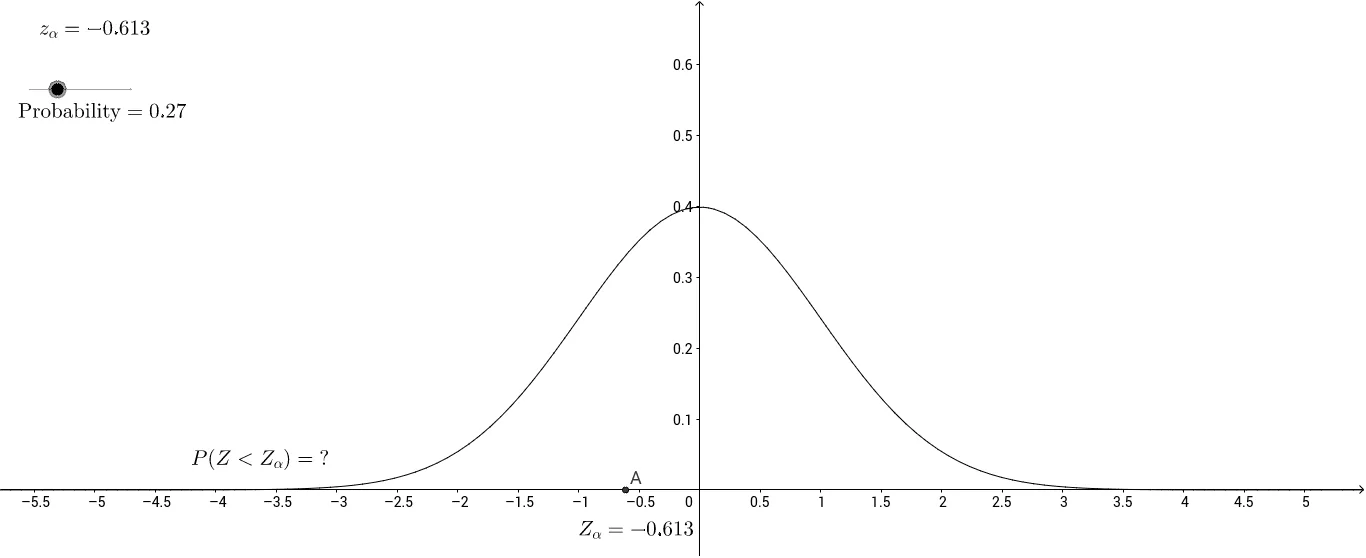
This example demonstrates how to find the z-score (z-value) in the Standard Normal Distribution given a target probability. It connects a specified cumulative probability to the corresponding quantile location and interprets that result using the geometry of the normal curve (area under the probability density). Key concepts include the cumulative distribution function (CDF) for the normal distribution, the inverse-CDF (reflecting an inverse function idea to recover z from probability), quantiles and z-scores, and the interpretation of probability as an integral (area). From the construction summary, the applet is built around the Integral command to evaluate the relevant tail/area for the distribution function f, using objects such as z_α (the quantile z-value), a (integration bound/critical position), A (the probability area/region), and probability (the user-specified input), along with several text labels (text1–text4) to display results. Suitable for high school through introductory university probability and statistics, and for interactive instruction on normal distribution quantiles and inverse-normal calculations.
GeoGebra Commands & Parameters
Integral(f, -Infinity, z_α) → a
AI Drawing Prompt Reference
Draw a standard normal distribution curve and mark the z-value corresponding to the user's target probability. Calculate the area under the curve from negative infinity to the z-value using integration and link it to the user's input probability. Use a slider to adjust the target probability dynamically, showing the corresponding z-value and area, with text labels to display the calculation results and key concepts.
The prompt above was compiled from the original drawing commands and is for reference only.