
Compound Interest Question Generator (Continuous Compounding)
Loading the math board and drawing, please wait…
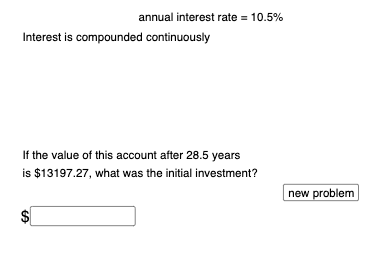
This GeoGebra example demonstrates an interactive question generator for continuous compounding interest, based on the formula A = P·e^(rt). It randomly creates problems and checks user answers automatically. Core mathematical concepts include exponential functions, the natural constant e, continuous compounding models, and algebraic manipulation. The construction uses Random and RandomElement commands to generate random values for principal P, annual rate r, and time t, If commands to compare user input with the correct result, Textfield and InputBox for answer entry, a Button to generate new questions, and multiple text objects (text1 to text12) to display prompts, hints, and feedback. This tool is suitable for high school or introductory college financial mathematics, ideal for classroom practice or self-study, helping learners grasp the practical application of exponential growth in finance.
GeoGebra Commands & Parameters
Random(100, 1000) → PRandomElement(Sequence[i, i, 1, 15, 0.25]) → rRandomElement({1, 2, 4, 12, 365}) → nRandomElement(Sequence[i, i, 0.25, 30, 0.25]) → tvalIf(n ≟ 1, "annually", n ≟ 2, "semiannually", n ≟ 4, "quarterly", n ≟ 12, "monthly", n ≟ 365, "daily") → text3Random(1, 4) → cRandomElement({10, 20, 30, 40, 50, 60, 70, 80, 90}) → bIf(c ≟ 2, 2, c ≟ 3, 1 + b / 100) → dTextfield(f) → InputBox1If(c ≟ 1, a, c ≟ 2, g, c ≟ 3, h, c ≟ 4, beg) → correctTextfield(q) → InputBox2
AI Drawing Prompt Reference
This is an interactive graphic for practicing continuous compounding interest. The graphic shows input boxes for principal P, annual rate r, and time t, along with a display area for the calculated result A. Users can input values and click a button to generate new questions. The graphic also includes prompt text and feedback information to help learners understand exponential growth in finance.
The prompt above was compiled from the original drawing commands and is for reference only.